
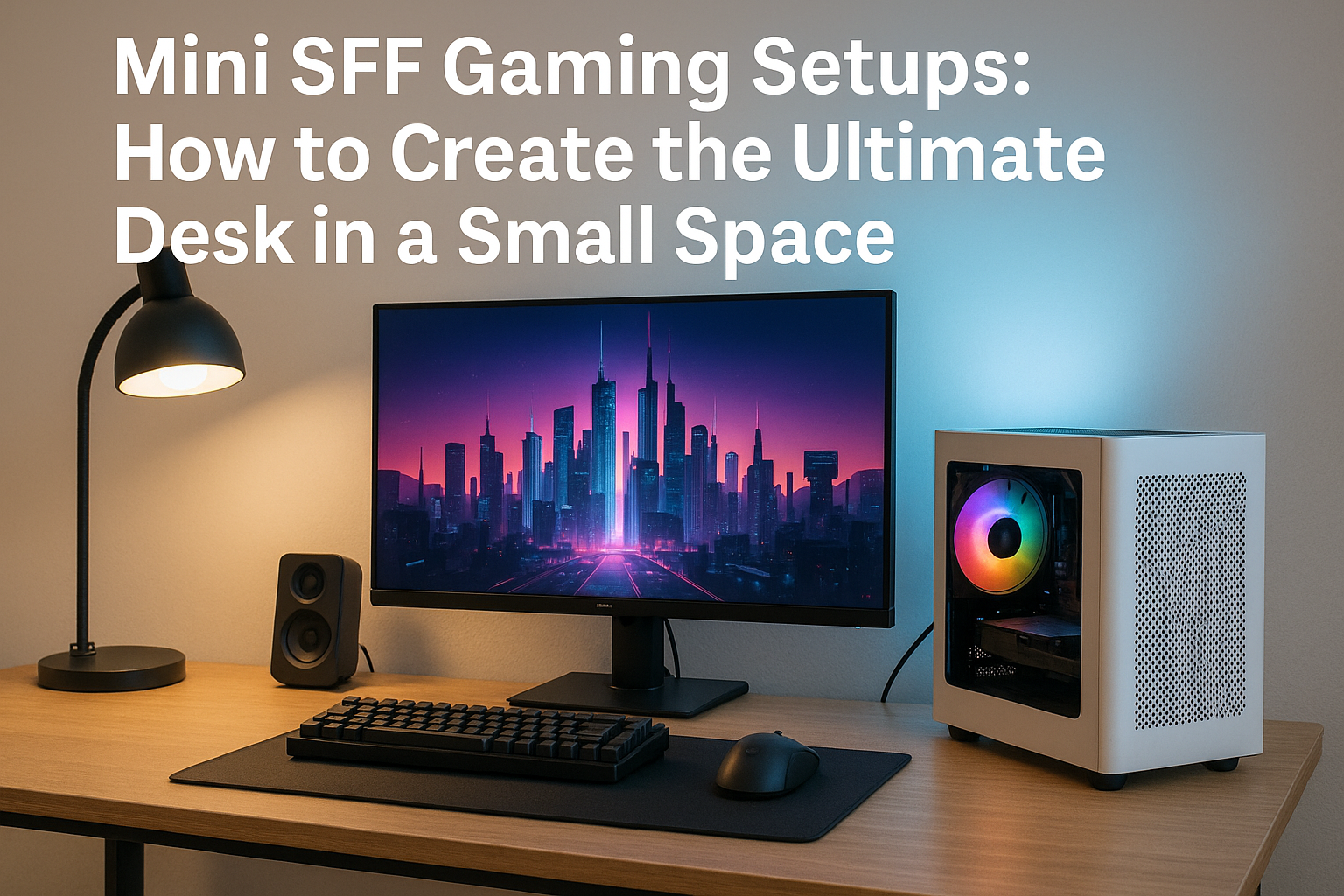
As gaming hardware gets more powerful and efficient, the dream of creating a full-fledged battlestation in a tight space is not only possible—it’s trending.
In 2025, Mini SFF (Small Form Factor) gaming setups are the go-to solution for players living in apartments, dorms, or simply seeking a minimalist aesthetic. A compact desk doesn’t have to mean limited performance or a boring layout.
This guide will show you how to create the ultimate Mini SFF gaming desk setup. From selecting the right case and components to choosing the ideal monitor, desk accessories, cable management, and lighting—this is everything you need to know to build a clean, powerful, and visually stunning setup in a small footprint.
Why Mini SFF Gaming Desks Are on the Rise
As urban living becomes more popular and people downsize their homes or work remotely, desk real estate has become valuable.
A huge tower case no longer fits the lifestyle of many modern gamers. At the same time, there’s a growing demand for setups that look professional, clean, and powerful.
Mini SFF setups meet all these needs:
Performance comparable to full-size towers
Aesthetics that blend into any environment
Easier to move, clean, and maintain
Energy efficiency and lower noise
Freedom to personalize your desk layout
They’re perfect for gamers who want to save space without sacrificing power.
Step 1: Choosing the Right Mini SFF Case for Your Setup
The heart of your setup is your PC, and the case dictates everything from performance to layout. The right case blends into your desk environment, provides excellent airflow, and supports the hardware you need.
Best Cases for Desk-Based Mini SFF Setups
Cooler Master NR200P MAX (18L)
Supports large GPUs
Pre-installed PSU and AIO for convenience
Side panel options (mesh or glass)
Easy cable routing for clean desks
SSUPD Meshroom S (14.9L)
Full mesh design for airflow
Modular and vertical or horizontal use
Room for high-end GPUs like the RTX 4090 FE
Lian Li A4-H2O (11L)
Slim and professional-looking
Built for AIO cooling and compact desks
Aluminum design fits minimal aesthetics
FormD T1 V2.1 (9.5L)
Beautiful, premium finish
Minimalist and versatile orientation
Perfect for a clean and modern desk
Consider color options (white, black, gray) to match your workspace.
Step 2: Selecting Hardware That Balances Power and Silence
Mini SFF gaming setups require careful component selection to maintain performance without overheating or making excessive noise.
CPU Choices for Gaming in 2025
AMD Ryzen 7 7800X3D – Top-tier gaming CPU with low power draw
Intel Core i5-14600KF – Balanced price and performance
AMD Ryzen 5 7600 – Efficient and affordable
Intel Core Ultra 7 155H – Great integrated graphics for ultra-compact builds
Target 65W CPUs or use Eco modes to reduce heat and noise.
GPU Recommendations
To outperform consoles and run AAA games smoothly:
NVIDIA RTX 4070 Super – Excellent 1440p gaming with low power
AMD RX 7800 XT – Fantastic raster performance
NVIDIA RTX 4060 Ti – Great for esports and 1080p Ultra
Intel Arc A770 – Budget-friendly and stylish RGB options
Choose dual-fan or short-length models that fit within your case dimensions.
Cooling Considerations
Use low-profile air coolers or 240mm AIOs where supported.
Air Coolers:
Noctua NH-L12S
Thermalright AXP90-X47
Scythe Big Shuriken 3 Rev.B
AIOs:
Corsair H100i Elite
Arctic Liquid Freezer II 240
NZXT Kraken Elite 240 RGB
Set fan curves for silence during desktop use, and performance during gaming.
Power Supply
Use a high-quality SFX or SFX-L unit:
Corsair SF750 Platinum
Seasonic SGX-650
be quiet! SFX-L Power 850W
SilverStone SX1000
Modular cables reduce clutter and make desk setups cleaner.
Step 3: Pick the Right Monitor for a Compact Desk
Your monitor should maximize your desk space without overwhelming it. Consider ergonomics, size, refresh rate, and resolution.
Monitor Recommendations
27″ 1440p 165Hz IPS – Best balance for gaming and workspace
24″ 1080p 144Hz – Ideal for smaller desks and esports
34″ Ultrawide 1440p – If you have horizontal space, great for immersive games
4K 60Hz or 120Hz – For content creators or next-gen gaming
OLED options – LG 27GR95QE or ASUS ROG Swift OLED for vibrant color
Use a monitor arm to save desk space and position your screen ergonomically.
Step 4: Desk Selection and Layout
Even with a small room, the right desk can transform your setup. You don’t need a huge surface—just smart space management.
Features to Look For
Width: 100–140 cm is ideal for small setups
Depth: At least 60 cm for monitor and keyboard space
Cable passthrough or grommets
Built-in drawers or organizers
Sturdy material (wood, metal, MDF)
Great options include IKEA Linnmon/Alex combo, Flexispot standing desks, or Secretlab Magnus for integrated cable management.
Place your PC off to the side or use a vertical mount beneath the desk for extra space.
Step 5: Keyboard, Mouse, and Accessories
Peripheral choice affects both performance and desk cleanliness.
Keyboard
Tenkeyless (TKL) or 65% keyboards save space
Silent mechanical switches (Gateron Silent Reds, Cherry MX Silent)
Examples: Keychron K8 Pro, Logitech MX Mechanical Mini, Ducky One 3 SF
Mouse
Low-profile and wireless preferred
Logitech G Pro X Superlight
Razer Viper V2 Pro
Glorious Model O Wireless
Mousepad
Use an extended mousepad to double as desk protection and reduce noise
Choose minimalist designs or match your setup’s color theme
Headset
Go wireless to reduce cable clutter
Look for low-latency models like SteelSeries Arctis Nova 7, Logitech G733, or Corsair HS80
Step 6: Audio and Cable Management
Even small desks can be immersive with the right audio.
Speakers:
Audioengine A2+
Creative Pebble V3
Kanto YU2
Cable Management Tips:
Use adhesive cable clips
Mount a cable tray under the desk
Bundle wires with velcro straps
Use a vertical monitor arm to reduce visible clutter
A tidy setup looks better, runs cooler, and reduces stress.
Step 7: RGB and Lighting for Style
Lighting adds personality to your setup without taking space.
Options:
Philips Hue Lightstrip
Govee Glide Wall Lights
NZXT HUE 2 Ambient Kit
Lian Li STRIMER for PSU cables
Keep it subtle—white or soft blue light reduces eye strain while gaming.
Step 8: Streaming and Productivity Add-ons
Want to stream or multitask? Add these to your Mini SFF setup.
Stream Deck Mini – Quick scene switching and macros
USB Hub or Dock – Extra ports for peripherals
External SSD – Portable storage for game libraries
Desk Shelf Riser – Add storage and raise monitor height
Complete Build Examples for Compact Gaming Setups
Setup 1: Minimalist Gamer
Case: FormD T1
CPU: Ryzen 5 7600
GPU: RTX 4060 Ti
RAM: 32GB DDR5
Storage: 1TB Samsung 980 Pro
Cooling: Noctua NH-L12S
Desk: 120cm IKEA desk with monitor arm
Monitor: 27” 1440p 165Hz
Noise: <30 dBA idle, <40 dBA under load
Setup 2: Clean Streaming Station
Case: NR200P MAX
CPU: Ryzen 7 7800X3D
GPU: RTX 4070
Cooling: Included 280mm AIO
PSU: Included 850W
Desk: Flexispot height-adjustable
Monitor: 34” Ultrawide
Mic: Elgato Wave 3
Lighting: Govee Lightbars + key light
Setup 3: Ultra-Tight Apartment Build
Case: Lian Li A4-H2O
CPU: Intel Core Ultra 7 155H
GPU: Integrated Arc Graphics
RAM: 16GB LPDDR5
Storage: 1TB NVMe
Desk: Foldable standing desk
Monitor: 24” 1080p
Power: <200W total
Perfect for indie games, emulators, and remote work
Final Tips for the Best Mini SFF Gaming Setup
Position your case for airflow—sideways or behind monitor
Install low-noise fans and optimize curves
Keep cables invisible using raceways and adhesive mounts
Use ambient lighting to soften the look
Keep only essential items on the desk
Balance RGB with white or natural tones for professional appeal
Final Thoughts
Mini SFF gaming setups in 2025 aren’t just practical—they’re aspirational. With smart case choices, efficient components, and attention to desk organization, you can build a setup that rivals the biggest battlestations in performance, style, and comfort.
Whether you’re working with a small bedroom, a corner in your living room, or a tight dorm desk, your dream gaming setup is absolutely possible. And in many cases, it’s better than going big.

Chris Dalton is a tech enthusiast with a passion for helping others build high-performance PCs on a budget. He shares practical advice, in-depth guides, and honest insights to empower freelancers, gamers, and creators to get the most out of their hardware. With hands-on experience and a focus on smart, affordable solutions, Carlos Eduardo turns complex tech into accessible knowledge for all.