
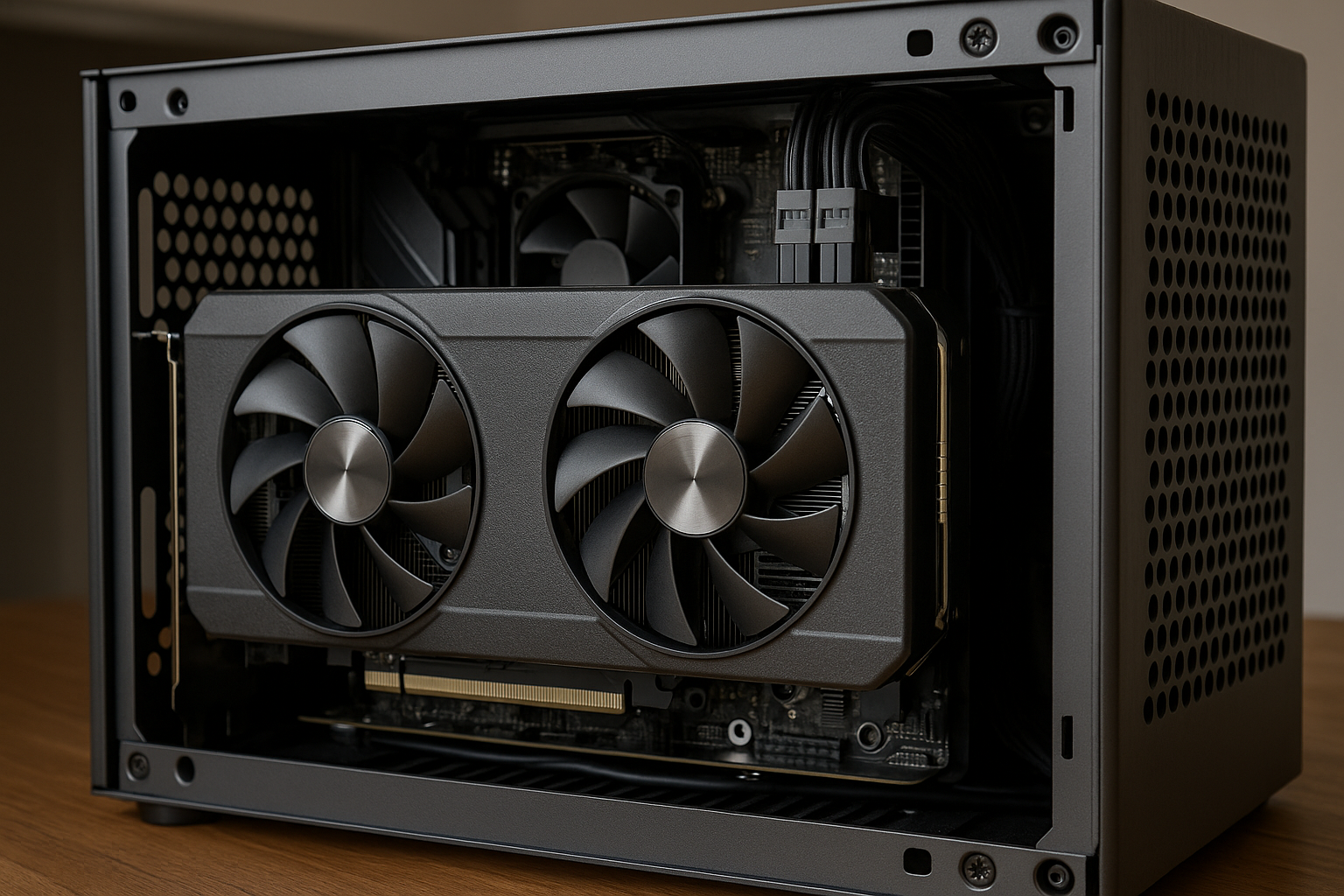
Choosing the right GPU is one of the most challenging steps when building a Mini SFF PC. In compact systems, graphics cards must deliver strong performance while staying within tight thermal and physical limits.
In 2025, GPU performance has reached impressive levels, but power consumption and heat output remain critical concerns for Small Form Factor builds. Selecting the wrong GPU can lead to thermal throttling, loud fan noise, and reduced system lifespan.
This guide explains how to choose the best GPUs for Mini SFF builds in 2025, focusing on real-world performance, cooling efficiency, and long-term reliability.
Why GPU Choice Is More Critical in Mini SFF PCs
In Mini SFF systems, the GPU often becomes the hottest component.
Unlike ATX cases, compact enclosures have limited airflow and fewer exhaust paths. This means excess heat from the GPU quickly affects the entire system.
A poorly chosen GPU can raise CPU temperatures, increase PSU stress, and force all fans to run at higher speeds. This results in a louder and less stable PC.
Choosing the right GPU is about balance, not just raw performance.
Understanding Physical Size Constraints
Physical dimensions are the first limitation in Mini SFF builds.
Not all GPUs fit in all cases, even if the length appears acceptable. Thickness and height are just as important as length.
Before choosing a GPU, always check:
- Maximum GPU length
- Maximum GPU thickness (slot count)
- GPU height including backplate
- Power connector clearance
Many SFF cases only support two-slot GPUs, which immediately narrows your options.
GPU Power Consumption and Thermal Impact
Power consumption directly affects heat output.
High-wattage GPUs generate more heat, which is harder to manage in compact systems. In Mini SFF builds, efficiency matters more than peak power.
Modern GPUs often offer multiple performance tiers with similar real-world results. Choosing a slightly lower-tier model can dramatically improve thermals with minimal performance loss.
Lower power draw leads to quieter operation and better overall stability.
Best GPU Performance Targets for Mini SFF Builds
In 2025, Mini SFF PCs are capable of impressive performance when paired with the right GPU.
Ideal performance targets include:
- Smooth 1440p gaming
- High refresh rate 1080p gaming
- Strong GPU acceleration for creative workloads
- Stable frame pacing without throttling
Chasing extreme 4K performance in ultra-small cases often leads to compromises elsewhere.
Cooling Design Matters More Than Brand
GPU cooling design is often more important than the brand itself.
Some GPUs use compact but inefficient coolers, while others are designed specifically for airflow-restricted environments. In Mini SFF builds, blower-style and compact dual-fan designs can perform better than oversized triple-fan cards.
Key cooling features to look for:
- Efficient heatsink design
- Quality thermal pads
- Well-tuned fan curves
- Exhaust-focused airflow patterns
A good cooler makes a massive difference in small cases.
Single-Fan vs Dual-Fan GPUs
Single-fan GPUs are common in Mini SFF builds.
They are compact and fit in cases with strict size limits. However, they often rely on higher fan speeds to maintain temperatures.
Dual-fan GPUs offer better cooling and lower noise, but require more space. If your case supports them, dual-fan models are usually the better choice.
The decision depends entirely on case compatibility and airflow design.
NVIDIA vs AMD in Mini SFF Builds
Both NVIDIA and AMD offer excellent GPUs for Mini SFF systems in 2025.
NVIDIA GPUs often excel in power efficiency and software support. Features like DLSS and advanced encoder support make them attractive for gaming and content creation.
AMD GPUs typically offer strong raster performance and competitive pricing. Many AMD models perform exceptionally well at lower power levels.
The best choice depends on your workload, budget, and case constraints.
VRAM Considerations for Compact Systems
VRAM capacity plays a significant role in GPU longevity.
In Mini SFF builds, upgrading GPUs is often more complex than in ATX systems. Choosing a GPU with sufficient VRAM ensures the system remains capable for years.
For 2025:
- 8 GB VRAM is the practical minimum
- 12 GB VRAM offers better future-proofing
- Higher VRAM benefits creative workloads
More VRAM reduces stuttering and improves multitasking.
Managing GPU Thermals in Tight Spaces
Even the best GPU needs proper airflow.
Thermal management is a system-wide effort in Mini SFF builds. GPU cooling performance depends heavily on case airflow and component placement.
Effective strategies include:
- Clear intake paths
- Direct exhaust routes
- Minimal cable obstruction
- High-quality case fans
A well-ventilated case can significantly reduce GPU temperatures.
Undervolting and Power Limiting
Undervolting is a powerful tool for Mini SFF builders.
Reducing voltage while maintaining clock speeds can drastically lower heat output without sacrificing performance. Many modern GPUs respond extremely well to undervolting.
Power limiting is another effective approach. Slightly reducing maximum power draw often results in negligible performance loss with major thermal benefits.
These techniques are especially valuable in compact builds.
Noise Levels and Acoustic Comfort
Noise is often overlooked when selecting a GPU.
In Mini SFF systems, GPU fans are closer to the user. Poor acoustic performance becomes noticeable very quickly.
Look for GPUs with:
- Low-RPM idle behavior
- Smooth fan ramping
- Minimal coil whine reports
Quiet operation enhances both gaming and productivity experiences.
GPU Compatibility With SFX Power Supplies
Power delivery is closely tied to GPU choice.
SFX and SFX-L power supplies can handle powerful GPUs, but cable management and connector placement matter. Some GPUs use large power connectors that are difficult to route in small cases.
Before purchasing, check:
- Required power connectors
- Cable bend radius
- PSU wattage headroom
Good planning avoids installation issues.
Future-Proofing Your Mini SFF GPU Choice
Future-proofing is different in compact systems.
Instead of chasing maximum performance, focus on efficiency, VRAM capacity, and thermal behavior. These factors extend the usable lifespan of your GPU.
A well-balanced GPU choice remains relevant longer than an extreme but thermally constrained option.
Making the Right GPU Choice in 2025
The best GPU for a Mini SFF build is one that fits perfectly, runs cool, and delivers consistent performance.
In 2025, compact PCs no longer require massive compromises. With smart component choices and proper tuning, Mini SFF systems can rival much larger builds.
Choosing the right GPU ensures your Mini SFF PC remains powerful, quiet, and reliable for years.

Chris Dalton is a tech enthusiast with a passion for helping others build high-performance PCs on a budget. He shares practical advice, in-depth guides, and honest insights to empower freelancers, gamers, and creators to get the most out of their hardware. With hands-on experience and a focus on smart, affordable solutions, Carlos Eduardo turns complex tech into accessible knowledge for all.