
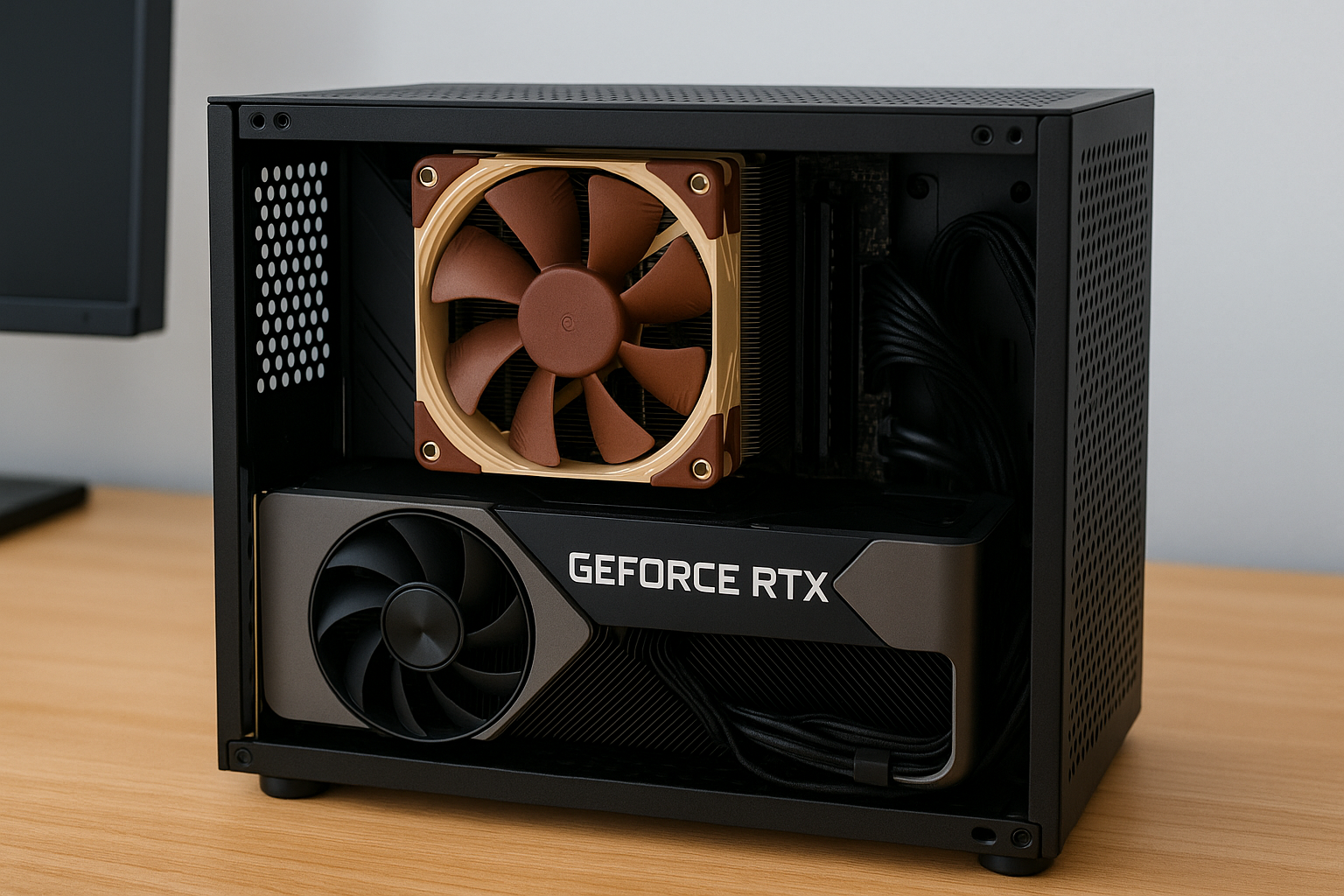
In the era of the PlayStation 5 and Xbox Series X, building a PC that fits into the same space—and beats them in performance—sounds like an ambitious goal.
But in 2025, thanks to powerful compact components and smarter design options, Mini SFF (Small Form Factor) gaming PCs are doing just that.
Whether you want better frame rates, modding freedom, or game library flexibility, a custom Mini SFF build can give you everything a console can’t—while still fitting under your TV or on a small desk.
This guide will walk you through how to build a console-killer Mini SFF PC in 2025.
You’ll learn about component selection, case recommendations, GPU and cooling compatibility, performance tuning, and tips to get console-beating results in a package under 15 liters.
Why Choose Mini SFF Over a Console?
Compact gaming PCs are exploding in popularity. With manufacturers producing increasingly smaller GPUs and efficient CPUs, the dream of a desktop-class rig that fits where a console does is now a reality.
Key Benefits Over Consoles
Customizable performance and visuals
Access to PC-only titles and mods
Multiple game libraries (Steam, Epic, Xbox PC Game Pass)
Upgradeable in the future
Better streaming, recording, and multitasking capabilities
Freedom to adjust every detail of your system
Console design is locked. A Mini SFF PC gives you console size, but with PC-level control.
Targeting Better-Than-Console Performance
To beat current-gen consoles, your system should exceed these performance targets:
Resolution: 1440p or 1080p with higher FPS
FPS: 60+ in AAA games, 100–120+ in esports
Storage: 1TB+ NVMe SSD
Load times: Under 10 seconds for most games
Noise level: Below 35 dBA
Power consumption: Under 350W full load
This level of performance in a Mini SFF form requires the right hardware and thermals—but it’s absolutely possible.
Choosing the Best Mini SFF Case
Your case determines your size constraints, cooling capacity, and GPU compatibility.
Top Case Picks (2025)
Cooler Master NR200P MAX (18L)
Includes PSU and AIO
Supports 3-slot GPUs
Great airflow and easy cable management
FormD T1 V2 (9.5L)
Ultra-compact
Aluminum chassis
Supports 2.5-slot GPUs
Ideal for minimalist setups
SSUPD Meshroom S (14.9L)
Modular layout
Full mesh for airflow
Compatible with RTX 4090 FE
Perfect balance of size and power
Lian Li A4-H2O (11L)
Premium look
Supports 240mm AIO
Fits short triple-fan GPUs
Tight fit but impressive results
Make sure to check GPU clearance (length, height, thickness) before selecting a card.
Best CPU Options for Console-Beating Performance
Aim for a CPU with high IPC, at least 6 cores, and efficiency under load. Avoid high TDP chips unless you’re using a large cooler.
AMD Ryzen 7 7800X3D
Top-tier gaming chip
Great thermals and low power draw
Perfect for tight spaces
Intel Core i5-14600K
High FPS in competitive games
P-core + E-core architecture
Requires undervolting in compact cases
AMD Ryzen 7 8700G (APU)
Great for integrated graphics setups
Perfect for GPU-less starter builds
Includes Radeon 780M
Intel Core Ultra 5 125H
For ultra-compact, integrated builds
Comes with Arc iGPU
Efficient and modern
GPU Selection: Compact Cards That Pack a Punch
To outperform consoles, your GPU needs to push 1440p at 60 FPS or 1080p at 120+ FPS. Modern compact cards make this easier than ever.
Top Picks:
NVIDIA RTX 4070
Excellent 1440p card
Low power draw (200W)
Available in compact dual-fan variants
AMD RX 7800 XT
Great for raster performance
Wider models—check case fit carefully
FSR 3 compatible
Intel Arc A770 16GB
Budget-friendly
Solid 1440p card
Great for XeSS upscaling
NVIDIA RTX 4060 Ti (8GB or 16GB)
Super efficient
Fits easily in all Mini SFF cases
DLSS 3.5 support
Cards with under 300mm length and dual-fan layouts are ideal for SFF. Watch out for 2.5- or 3-slot thickness.
Motherboard and RAM Considerations
Use ITX motherboards (170mm x 170mm) to match case size.
Best Motherboard Features:
PCIe 4.0 or 5.0 support
High-quality VRMs for stability
Wi-Fi 6E or 7 onboard
Two M.2 slots (for SSD expansion)
Recommended RAM:
32GB DDR5 (2x16GB) – sweet spot for gaming and streaming
Speed: 6000MHz or faster
Low-profile if cooler clearance is tight
Avoid DDR4 unless you’re on a strict budget—DDR5 delivers better performance in modern engines.
Cooling in Small Spaces
Thermal management is the biggest challenge in Mini SFF builds. You’ll need to maximize cooling efficiency without adding noise.
Air Cooling
Noctua NH-L12S – Low-profile, silent, and effective
Scythe Big Shuriken 3 Rev B – Affordable and compact
Thermalright AXP90-X53 – Extremely small with solid cooling
AIO Liquid Cooling
Use 240mm or 120mm AIOs in cases like the NR200P MAX or A4-H2O.
Arctic Liquid Freezer II 240 – Silent pump, high performance
NZXT Kraken Elite 240 – RGB, excellent software control
Corsair H100i Elite Capellix – Zero RPM mode for silence
Install coolers before inserting the motherboard—SFF cases can be tricky to maneuver.
Storage: Go All-NVMe
To beat console load times, go with fast Gen 4 SSDs:
Samsung 990 Pro 1TB
WD Black SN850X 2TB
Crucial P5 Plus 1TB
Avoid SATA SSDs or mechanical drives. M.2 NVMe drives reduce cable clutter and thermal load.
Power Supply (PSU) for Small Builds
Look for SFX or SFX-L units with modular cables and Platinum or Gold efficiency.
Recommended PSUs:
Corsair SF750 Platinum
Seasonic SGX-650 SFX
Cooler Master V850 SFX Gold
be quiet! SFX-L Power 850W
Choose 650–750W for discrete GPU builds. Always verify cable lengths for your case.
Software and BIOS Tweaks
To stay cool and quiet while maintaining performance, tune your system in BIOS and Windows:
Enable Eco Mode or power limits on CPU
Set GPU fan curves to prioritize silence until 60°C
Use Smart Fan or FanControl for dynamic cooling profiles
Enable Resize BAR for gaming performance
Use High Performance or Balanced Windows power plans
Install latest chipset and GPU drivers
Building Tips for Small Form Factor Success
Test components on a bench before assembly
Install CPU cooler and RAM before mounting the motherboard
Use angled or right-angle cables for tight corners
Zip-tie cables away from fans
Plan airflow carefully—positive pressure works best in small cases
Install GPU last to avoid blocking connectors
Patience is key. Mini SFF builds require precise handling but are extremely rewarding.
Expected Gaming Performance
When properly built, a Mini SFF PC can surpass consoles in raw power and efficiency.
Example Performance (RTX 4070 + Ryzen 7800X3D)
Cyberpunk 2077 – 1440p, Ultra + DLSS: 70 FPS
Starfield – 1080p, High: 75 FPS
Call of Duty MW3 – 1440p, Balanced: 120 FPS
Valorant – 1080p, Max: 300 FPS
Forza Horizon 5 – 1440p, Ultra: 90 FPS
Red Dead Redemption 2 – 1080p, Ultra: 85 FPS
All this, in a chassis that’s smaller than an Xbox Series X.
Upgrade Paths and Longevity
Unlike consoles, a Mini SFF PC can evolve:
Add more RAM or a second SSD
Upgrade to a next-gen GPU in the same footprint
Install faster DDR5 as prices drop
Replace fans or PSU for better acoustics
Rebuild with newer ITX motherboards or chipsets
You’re not locked in. Even in a 9-liter case, you have freedom to grow.
Final Thoughts
A Mini SFF gaming PC in 2025 can do everything a console does—and more. From better graphics and faster load times to full control over hardware and software, these compact systems are changing the game.
Yes, building one requires planning, careful part selection, and a bit of patience. But the result is a stunning, space-saving machine that delivers unmatched performance for its size.
Whether you game in your living room, at your desk, or on the go, a Mini SFF PC proves that you don’t need something big to play big.

Chris Dalton is a tech enthusiast with a passion for helping others build high-performance PCs on a budget. He shares practical advice, in-depth guides, and honest insights to empower freelancers, gamers, and creators to get the most out of their hardware. With hands-on experience and a focus on smart, affordable solutions, Carlos Eduardo turns complex tech into accessible knowledge for all.