
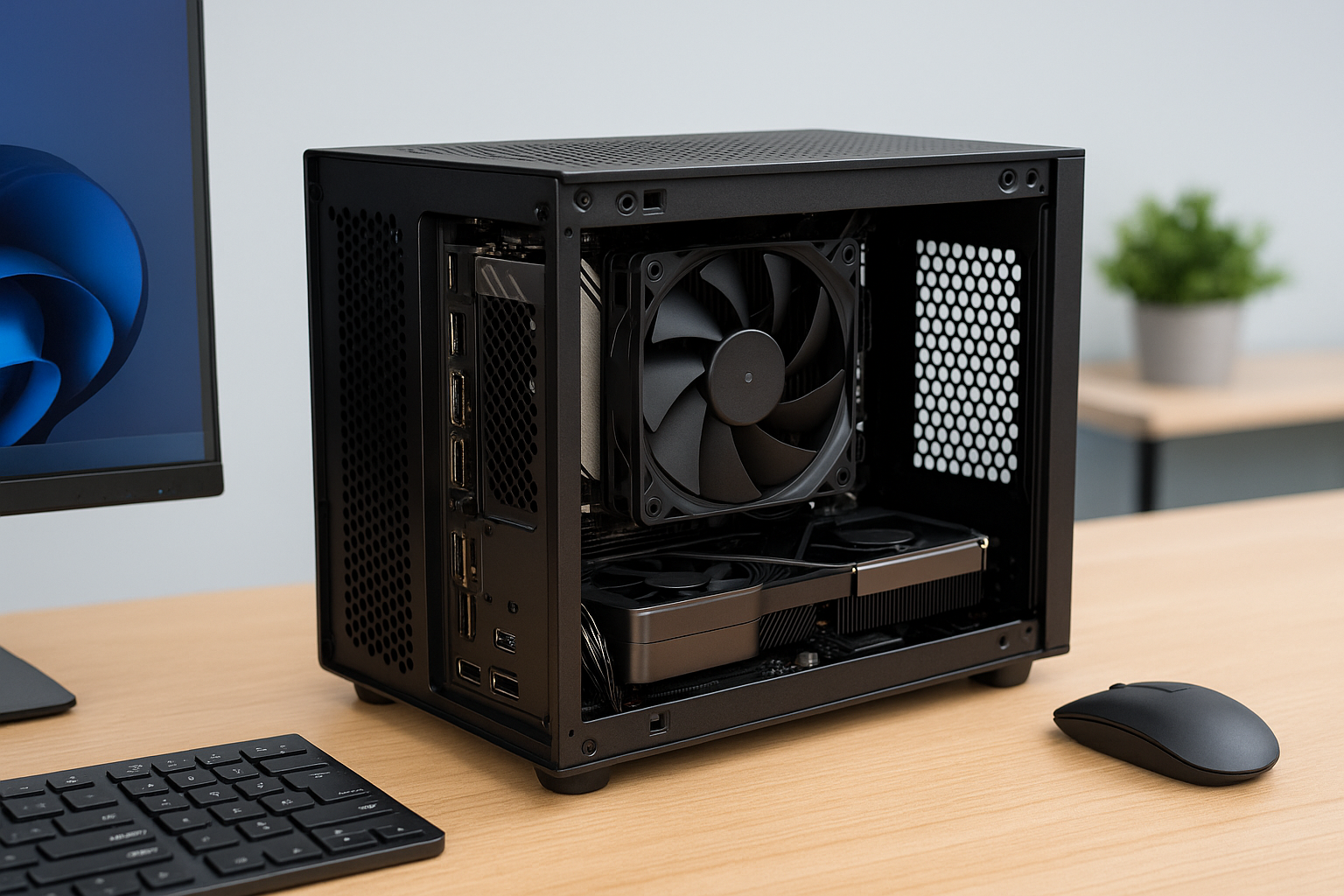
As the demand for versatile, high-performance PCs continues to grow, building a dual-purpose machine capable of handling both productivity tasks and gaming is no longer a luxury—it’s a smart investment.
In 2025, with the rise of hybrid work setups and an expanding library of resource-intensive games, the Mini SFF (Small Form Factor) PC has emerged as a perfect solution for users who want power, portability, and desk-friendly aesthetics.
This guide walks you through everything you need to build a compact PC that can switch seamlessly between Zoom meetings and AAA gaming.
We’ll cover the best components, case options, cooling strategies, and system balancing techniques to help you create a Mini SFF build that performs like a full-sized tower but fits comfortably in your workspace.
Why Build a Dual-Purpose Mini SFF PC?
Mini SFF PCs give you powerful performance in a small footprint—perfect for home offices or tight spaces where every inch counts.
Whether you’re rendering spreadsheets in the morning and raiding dungeons at night, or editing videos during the day and gaming in 4K after hours, a dual-purpose build gives you the best of both worlds.
Key Advantages
Space-saving design that fits any desk
Powerful enough to handle modern workloads and games
Easier to transport between home and office
Quiet and energy-efficient components
Stylish and minimalist aesthetics
Rather than managing two systems, you can rely on one well-optimized machine to handle everything.
Step 1: Define Your Use Case and Prioritize Performance
Before choosing components, identify how much emphasis you’ll place on work vs. gaming.
Productivity Focus
Video editing, 3D modeling, programming, or virtual machines require powerful CPUs and ample RAM. For these users, prioritize CPU performance, fast storage, and multitasking efficiency.
Gaming Focus
For high-end gaming, GPU performance is king. Frame rates, resolution scaling, and VR compatibility matter most.
Balanced Use
If you do both equally, look for a balance between a strong CPU and mid-to-high-end GPU with efficient thermals.
Step 2: Choosing the Right Case
Mini SFF cases vary in layout, cooling potential, and GPU support. Choose one that fits your workspace and component ambitions.
Recommended Mini SFF Cases
Cooler Master NR200P MAX (18L)
Pre-installed PSU and AIO
Room for triple-slot GPUs
Side mesh panel for airflow
Fractal Design Terra (10.4L)
Beautiful wood and aluminum
Sliding internal chassis for flexible component layout
Great for stylish home offices
SSUPD Meshroom S (14.9L)
Full mesh panels for airflow
Compatible with large GPUs
Tool-free design for easy builds
Lian Li A4-H2O V2 (11L)
Slim, console-like profile
Supports 240mm AIO
Ideal for minimalist setups
FormD T1 V2.1 (9.5L)
Premium aluminum body
Highly modular and customizable
Fan and cooling-focused for high-performance builds
Choose a case that supports both your GPU and preferred cooling method while fitting your workspace aesthetic.
Step 3: Select the Right CPU
For dual-purpose performance, the CPU must handle both multi-threaded workloads and single-core gaming tasks efficiently.
Best CPUs for Work + Gaming in 2025
AMD Ryzen 7 7800X3D
Incredible gaming performance
Efficient and thermally balanced
Solid for light-to-medium productivity
Intel Core i7-14700K
High multi-threaded score
Excellent for video editing and multitasking
Good gaming performance
AMD Ryzen 9 7900
12 cores, great for render-heavy workloads
Lower TDP options available
Strong single-thread performance
Intel Core Ultra 7 155H
Mobile-class hybrid chip
Efficient and compact
Ideal for thermal-constrained cases
Look for CPUs with a TDP under 105W for optimal thermal behavior in Mini SFF environments.
Step 4: Choose a GPU That Fits and Performs
A powerful GPU is essential for gaming and GPU-accelerated work tasks like video rendering or 3D modeling.
Best GPUs for Dual-Purpose Mini SFF Builds
NVIDIA RTX 4070
Excellent 1440p/4K gaming
DLSS 3.5 and Ray Tracing
Low power draw and compact models available
AMD RX 7800 XT
Strong raster performance
Great for content creation
Good 1440p gaming value
NVIDIA RTX 4060 Ti
Efficient for esports and moderate gaming
Budget-friendly
Low heat output
Intel Arc A770
Budget GPU with solid video encoding performance
Good for streaming setups
Select GPUs with dual-fan or compact triple-fan coolers that fit your case’s GPU clearance.
Step 5: Pick a Compatible Motherboard
Mini-ITX motherboards pack all essential features into a small form factor. Make sure yours supports your CPU and desired I/O.
Recommended ITX Motherboards
ASRock B650E-ITX (for AMD)
PCIe 5.0 support
Excellent VRM design
Integrated Wi-Fi 6E
ASUS ROG STRIX B760-I (for Intel)
Robust feature set
Support for DDR5
Two M.2 slots
Gigabyte B650I AORUS Ultra
Solid BIOS
Built-in HDMI 2.1
RGB support
Choose motherboards with good VRM cooling and at least two M.2 slots for fast storage.
Step 6: Memory and Storage
For work and gaming, fast and sufficient RAM and storage are critical.
Memory
16GB DDR5 is the baseline, 32GB is ideal for serious productivity.
Corsair Vengeance DDR5 6000MHz
G.SKILL Ripjaws DDR5 6400MHz
Crucial DDR5 Budget Options
Storage
Use a fast NVMe SSD for your OS and apps. Add a secondary drive for games and large projects.
Samsung 990 Pro 1TB/2TB
WD SN850X
Crucial P5 Plus
Use Gen 4 SSDs for better performance in editing and transfers.
Step 7: Cooling Configuration
Mini SFF builds need precise cooling planning. A combination of a good CPU cooler, GPU ventilation, and case airflow is crucial.
CPU Cooling
Noctua NH-L12S – Quiet and compact
Thermalright AXP90-X67 – Great for <100W CPUs
Arctic Liquid Freezer II 240 – For higher TDP setups
Noctua NH-P1 – Passive cooling for ultra-silent builds
GPU Cooling
Use models with 0dB idle modes
Position GPU fans close to mesh panels
Undervolt GPU for better thermals
Case Fans
Use Noctua or be quiet! fans with low RPM
Configure fan curves to balance noise and temperature
Step 8: PSU and Cable Management
SFX and SFX-L PSUs are standard in Mini SFF builds.
Recommended PSUs
Corsair SF750 Platinum
Seasonic SGX-650 SFX
be quiet! SFX-L Power 850W
Choose fully modular units to ease cable management. Use custom-length cables for tidiness.
Cable Management Tips
Plan cable routes before installing hardware
Use velcro straps and adhesive mounts
Keep airflow paths open
Step 9: Monitor, Keyboard, and Accessories
Dual-purpose setups benefit from ergonomic peripherals and high-refresh monitors.
Monitor
27” 1440p 165Hz – Great balance for work and gaming
Ultrawide 34” – For multitasking and immersive games
4K 60Hz – For content creators or console gaming feel
Keyboard & Mouse
Low-profile mechanical or productivity keyboards
Wireless gaming mice with low latency
Examples: Logitech MX Keys, Keychron K8 Pro, Razer Viper V2 Pro
Webcam & Audio
Use USB-C webcams for easy switching
Consider USB microphones like Elgato Wave or Blue Yeti
Wireless headsets with dual-mode (Bluetooth + 2.4GHz)
Step 10: Software and System Tuning
After building, tune your system to deliver the best experience.
Work Optimization
Enable virtualization in BIOS
Install productivity apps like Adobe Suite, Visual Studio, etc.
Enable cloud backups for projects
Gaming Optimization
Use NVIDIA or AMD drivers for game-specific tuning
Configure DLSS or FSR where possible
Install Steam, Epic, and Game Pass clients
Fan Control and Monitoring
Use FanControl app for custom fan curves
Monitor with HWInfo or MSI Afterburner
Enable Eco modes in BIOS for lower idle power
Build Examples
Balanced Productivity + 1440p Gaming
Case: NR200P MAX
CPU: Ryzen 7 7800X3D
GPU: RTX 4070
RAM: 32GB DDR5
Storage: 2TB Samsung 990 Pro
Cooling: Included 280mm AIO
PSU: Included 850W
Monitor: 27” 1440p 165Hz
Ideal for: Content creation, coding, and high-end gaming
Portable Workstation
Case: FormD T1
CPU: Intel Core Ultra 7 155H
GPU: Integrated Arc Graphics
RAM: 32GB LPDDR5
Storage: 1TB NVMe
Cooling: Low-profile fanless
PSU: HDPLEX 250W
Ideal for: Office work, streaming, light gaming
Budget Dual-Purpose Setup
Case: Lian Li A4-H2O
CPU: Ryzen 5 7600
GPU: RX 7600 XT
RAM: 16GB DDR5
Storage: 1TB SSD
Cooling: Noctua NH-L9a
PSU: Corsair SF600
Ideal for: Home office, esports titles, and moderate workloads
Final Thoughts
A well-planned Mini SFF dual-purpose PC is one of the most rewarding builds in 2025. It gives you the flexibility to work hard, play harder, and enjoy a clean, stylish setup without compromising on performance or comfort.
By selecting efficient components, tuning thermals, and maintaining a balance between form and function, your compact PC can become the ultimate everyday powerhouse—ready for meetings at 9 and boss battles by 10.

Chris Dalton is a tech enthusiast with a passion for helping others build high-performance PCs on a budget. He shares practical advice, in-depth guides, and honest insights to empower freelancers, gamers, and creators to get the most out of their hardware. With hands-on experience and a focus on smart, affordable solutions, Carlos Eduardo turns complex tech into accessible knowledge for all.