
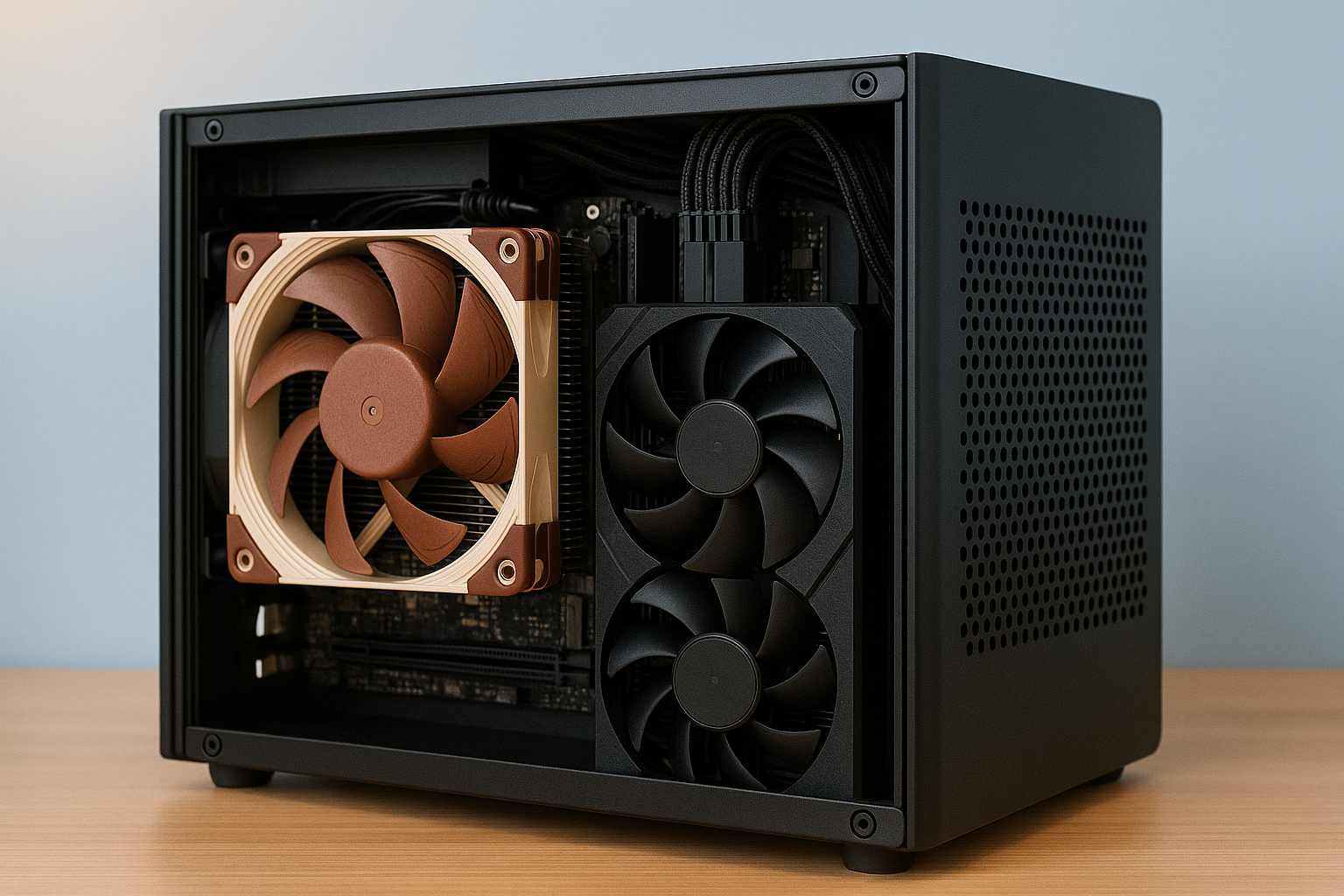
In 2025, silence is golden—especially when it comes to your PC. Whether you’re gaming, working, or streaming, a quiet machine improves focus, reduces stress, and enhances the overall experience.
Fortunately, with modern components and smart planning, building a silent Mini SFF (Small Form Factor) PC is not only possible—it’s easier than ever.
This comprehensive guide will walk you through everything you need to know about building a nearly silent Mini SFF system: from case and cooling selection to fan control, power management, and soundproofing techniques.
Why Build a Silent Mini PC?
Productivity and Comfort
Noise causes fatigue. Fans, coil whine, and vibration can be distracting during long work sessions or gaming marathons. A silent system helps you stay in the zone.
Ideal for Shared Spaces
If you live with others, share a room, or work in a quiet office, a whisper-quiet PC won’t disturb anyone nearby.
Better for Audio Work
Silent builds are essential for musicians, streamers, voice-over artists, and video editors who need clean audio without background hum.
Modern Aesthetics
Clean desks, minimalist setups, and invisible hardware trends pair perfectly with systems that are just as quiet as they are compact.
Core Principles of Silent PC Building
Eliminating noise in a Mini SFF system requires understanding its three primary sources:
- Fans: The most common source of noise—case fans, CPU coolers, GPU fans, and PSU fans.
- Vibration: Caused by moving components or poor case damping.
- Electronic noise (coil whine): High-frequency whining from VRMs, GPUs, or power supplies.
To build silently, you’ll need to reduce or eliminate all three using the right components and configurations.
Choosing the Right Mini SFF Case
The case is the foundation of silence. Choose one with:
High airflow design (to run fans at lower speeds)
Support for large, quiet coolers or fanless setups
Minimal vibration transfer (rubber mounts, solid build)
Room for low-profile GPUs or integrated graphics if going fanless
Recommended Silent Mini Cases:
Fractal Design Terra (10.4L) – Stunning aluminum chassis with room for tower coolers or AIOs
Lian Li Q58 (14.5L) – Flexible layout and ventilation, supports 280mm radiators
SSUPD Meshroom S (14.9L) – Mesh panels for low RPM airflow and quiet operation
Streacom DA2 V2 (17L) – Fanless-optimized with modular interior and passive cooling support
CPU Choices for Quiet Mini Builds
The less heat your CPU generates, the quieter the system. Look for low TDP chips with high efficiency.
Ideal CPUs:
AMD Ryzen 7 8700G – 65W APU with excellent integrated graphics (Radeon 780M)
AMD Ryzen 5 5600G – Perfect for silent office or HTPC builds
Intel Core Ultra 5 125H – Efficient and modern with Intel Arc iGPU
Intel i5-13500T – 35W low-power variant with excellent thermals
For complete silence, consider passively cooled CPUs with custom heatsinks and fanless cases.
Cooling Solutions for Near-Silent Performance
Passive Cooling
Best for systems under 35W TDP. Use in fanless cases like Streacom or Akasa.
Heatsinks: Noctua NH-P1, ID-COOLING IS-60 EVO Passive
Thermal paste: Use high-quality options like Kryonaut or Arctic MX-6
Case placement: Leave clearance for natural convection airflow
Air Cooling
Use quiet top-down coolers with large heatsinks and slow-spinning fans.
Best models:
Noctua NH-L12S – Excellent performance at very low RPM
Thermalright AXP120-X67 – Thin profile and quiet operation
Scythe Big Shuriken 3 – Perfect for tight cases with good clearance
Tune the fan curve to max 800 RPM for near-silent cooling.
AIO Liquid Cooling
Riskier in silent builds due to pump noise. Only use high-end, well-reviewed models like:
NZXT Kraken Elite 240 (quiet pump)
ARCTIC Liquid Freezer II 240 – Integrated VRM cooling, low noise
Corsair H100i Elite Capellix – Supports Zero RPM mode
Fanless and Semi-Fanless GPUs
A major step toward silence is eliminating GPU fan noise. You have two main strategies:
Use Integrated Graphics (APUs)
Modern iGPUs like AMD Radeon 780M or Intel Arc can run esports and casual games silently.
Choose Passive or Semi-Passive GPUs
Semi-passive cards don’t spin fans under low to moderate loads.
Examples:
NVIDIA RTX 4060 Founders Edition – Fans stay off until 50–60°C
ASUS RTX 4070 Noctua Edition – Oversized fans for ultra-low RPM
Sapphire RX 7600 Pulse – Efficient and quiet
Palit RTX 3060 Dual OC – Supports 0dB mode with custom BIOS
You can also underclock or undervolt the GPU to stay in passive mode longer.
Power Supply (PSU) for Silent Operation
PSUs are often overlooked but can make or break a silent build.
Recommended Features:
SFX or SFX-L size for Mini SFF
80+ Platinum or Gold efficiency (less waste heat)
Fully modular cables
Zero RPM or fanless mode support
Silent PSU Models:
Corsair SF750 Platinum – Runs fanless under 300W
Seasonic SGX-650 – Hybrid fan mode
be quiet! SFX-L Power 850W – Whisper-quiet operation
HDPLEX 500W GaN Fanless PSU – Totally silent for ultra-premium builds
Storage That Makes No Noise
Use solid-state storage only. Avoid any spinning hard drives.
M.2 NVMe SSDs are the quietest and fastest option. Recommended models:
Samsung 990 Pro – Silent, blazing fast, reliable
Crucial P5 Plus – Great value for performance
WD SN850X – High-performance with thermal control
2TB is now affordable and supports fully silent libraries
Operating System and Software Tweaks
A quiet PC also requires proper fan and power control at the software level.
BIOS Settings
Enable Eco or Silent modes on fan profiles
Lower CPU voltage via offset undervolting
Set custom fan curves for gradual RPM increases
Enable Smart Fan or Q-Fan controls
Fan Control Tools
FanControl – Best third-party tool for custom RPM curves
HWInfo64 – Monitor all temps, voltage, and fan speeds
Radeon Software or Intel Arc Control – GPU-specific tuning
Windows Tweaks
Enable “Balanced” or custom power plans
Disable background apps and telemetry
Turn off RGB if fans are linked to controller noise
Soundproofing and Vibration Reduction
In ultra-quiet builds, small vibrations become noticeable.
Use rubber fan mounts or grommets
Ensure PSU and GPU are snug to prevent rattling
Use foam sound dampening pads (like SilverStone or ModRight)
Elevate case slightly with vibration-absorbing feet
Measuring Noise Output
Subjectively, anything under 20 dBA is considered whisper-quiet. Tools to monitor real noise include:
Smartphone apps like Sound Meter (not 100% accurate but helpful)
Dedicated sound level meters
Compare ambient room noise (usually 25–30 dBA) to PC noise
Prebuilt Silent Mini PCs Worth Considering
Not building your own? These systems offer incredible silent performance out of the box:
Minisforum UM790 Pro – Ryzen 9 7940HS with Radeon 780M, ultra-quiet
Intel NUC 13 Pro – Tiny and efficient for office or HTPC
ASUS PN64-E1 – Excellent thermals with quiet Arc iGPU
Beelink GTR7 – Barely audible with high-end cooling for an APU
Final Thoughts
Building a silent Mini SFF PC in 2025 is a rewarding challenge. With today’s efficient CPUs, passive GPU support, advanced fan control, and silent power supplies, you no longer need to compromise between performance and peace.
Whether you’re a gamer looking to eliminate distractions, a professional needing clean audio, or a minimalist chasing a calm workspace, a quiet Mini PC is the perfect solution. Silence is more than just a luxury now—it’s an achievable standard.

Chris Dalton is a tech enthusiast with a passion for helping others build high-performance PCs on a budget. He shares practical advice, in-depth guides, and honest insights to empower freelancers, gamers, and creators to get the most out of their hardware. With hands-on experience and a focus on smart, affordable solutions, Carlos Eduardo turns complex tech into accessible knowledge for all.