
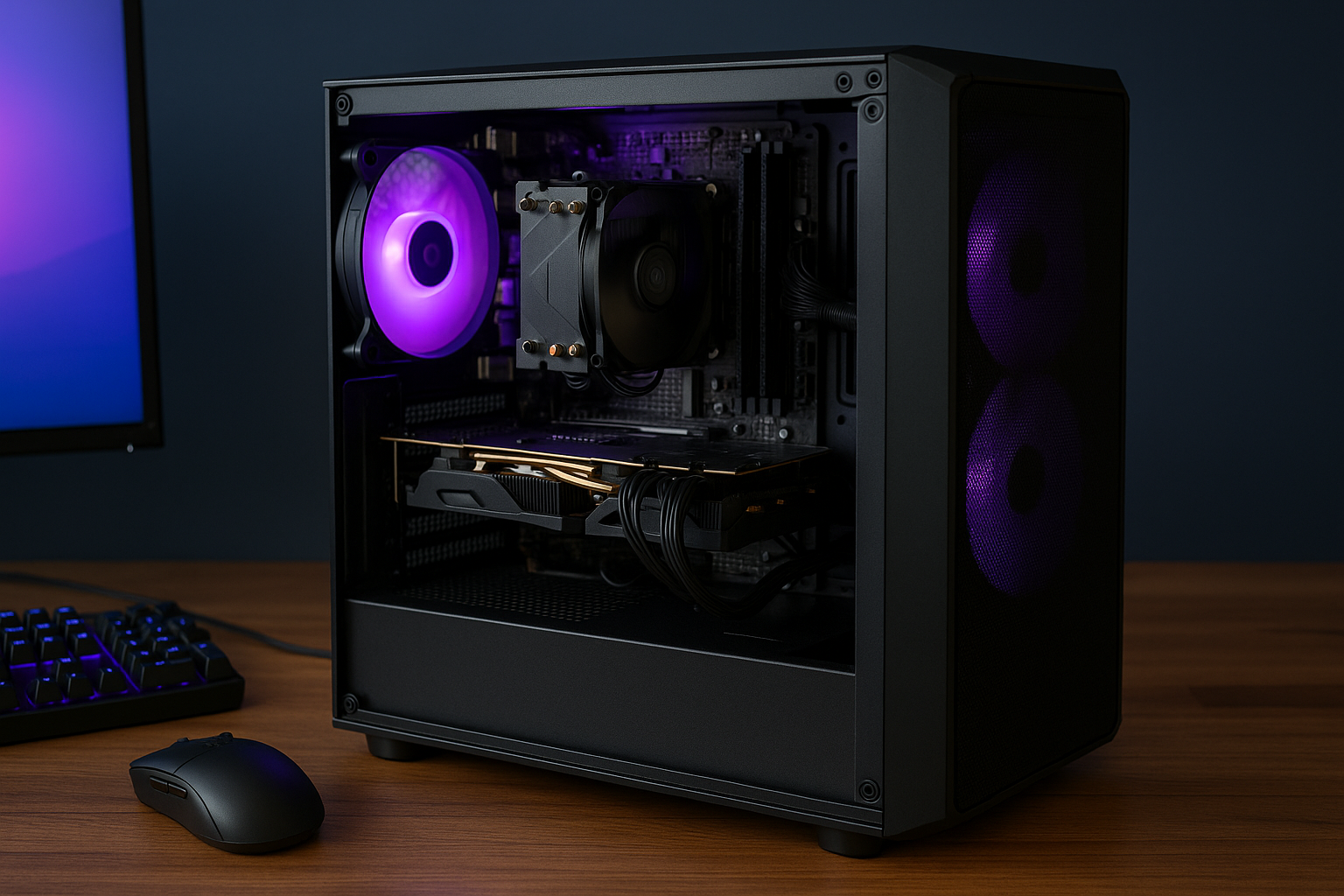
Building a gaming PC on a budget doesn’t mean sacrificing performance. In 2025, advancements in budget-friendly components make it possible to create a 1080p gaming rig for around $1,200 that delivers smooth frame rates in modern titles.
This guide walks you through selecting components, assembling your PC, and optimizing it for gaming, all while staying within a $1,200 budget.
Why Build a $1,200 Gaming PC in 2025?
Affordable gaming PCs offer excellent value.
With the right components, you can play AAA titles at 1080p with high settings.
This budget balances cost and performance for gamers on a tight budget.
Choosing the Right Components for Your Budget
Selecting components is the foundation of a great build.
Focus on parts that offer the best performance-per-dollar ratio.
Here’s a breakdown of the ideal components for a $1,200 gaming PC in 2025.
Processor (CPU): AMD Ryzen 5 7600
The AMD Ryzen 5 7600 is a stellar choice for budget gamers.
Its 6 cores and 12 threads handle modern games and multitasking.
At around $200, it’s a powerhouse for 1080p gaming.
Graphics Card (GPU): NVIDIA GeForce RTX 4060
The RTX 4060 delivers excellent 1080p performance.
It supports DLSS 3, boosting frame rates in supported games.
Expect to spend about $300 for this GPU.
Motherboard: B650 Micro-ATX
A B650 Micro-ATX motherboard offers great compatibility.
It supports DDR5 RAM and PCIe 4.0 for future upgrades.
You can find reliable options for around $120.
Memory (RAM): 16GB DDR5 (2x8GB)
16GB of DDR5 RAM is ideal for gaming in 2025.
It ensures smooth performance in memory-intensive titles.
Budget around $80 for a 2x8GB kit at 5200MHz.
Storage: 1TB NVMe SSD
A 1TB NVMe SSD provides fast load times and ample storage.
Brands like Kingston or Crucial offer reliable options.
Expect to pay around $70 for a high-speed model.
Power Supply (PSU): 550W 80+ Bronze
A 550W 80+ Bronze PSU is efficient and reliable.
It supports the RTX 4060 and future upgrades.
You can find quality units for about $60.
Case: Budget ATX Case with Good Airflow
A budget ATX case with good airflow keeps components cool.
Look for models with pre-installed fans and cable management.
Spend around $50 for a solid option.
CPU Cooler: Stock Cooler or Budget Air Cooler
The Ryzen 5 7600’s stock cooler is sufficient for most users.
For quieter operation, consider a $30 air cooler.
This keeps your CPU temperatures in check.
Step-by-Step Guide to Building Your PC
Assembling a PC is straightforward with the right approach.
Follow these steps to build your $1,200 gaming rig.
Always work in a static-free environment to protect components.
Step 1: Prepare Your Workspace
Clear a large, clean surface for assembly.
Gather tools like a Phillips screwdriver and cable ties.
Ensure good lighting to see small components clearly.
Step 2: Install the CPU and RAM
Place the Ryzen 5 7600 into the motherboard’s socket.
Secure it gently, following the motherboard’s instructions.
Insert the 2x8GB DDR5 RAM sticks into the appropriate slots.
Step 3: Mount the Motherboard in the Case
Secure the motherboard to the case with standoffs.
Use the provided screws to ensure a firm connection.
Align the I/O shield for a clean fit.
Step 4: Install the GPU and Storage
Slot the RTX 4060 into the PCIe slot on the motherboard.
Install the 1TB NVMe SSD into the M.2 slot.
Ensure both are securely fastened.
Step 5: Connect the Power Supply
Mount the 550W PSU in the case’s designated area.
Connect the 24-pin motherboard cable and 8-pin CPU cable.
Plug in the GPU’s power connector, if required.
Step 6: Cable Management
Route cables neatly to improve airflow and aesthetics.
Use cable ties to bundle excess cables.
Ensure no cables obstruct fans or components.
Step 7: Power On and Install the OS
Connect your monitor, keyboard, and mouse.
Install Windows 11 using a USB drive.
Download the latest drivers for your GPU and motherboard.
Optimizing Your Gaming PC for 1080p
Optimization ensures the best gaming experience.
Adjust in-game settings and update drivers regularly.
Here are key tips to maximize performance.
Update GPU Drivers
Download the latest NVIDIA drivers from their website.
Updated drivers improve game performance and stability.
Check for updates monthly for optimal results.
Adjust In-Game Settings
Set games to high settings at 1080p for a balance of visuals and performance.
Enable DLSS in supported titles for smoother gameplay.
Test settings to find the best FPS for each game.
Monitor Temperatures
Use software like HWMonitor to track CPU and GPU temperatures.
Ensure temperatures stay below 85°C during gaming.
Clean your PC regularly to prevent dust buildup.
Overclocking for Extra Performance
The Ryzen 5 7600 and RTX 4060 support mild overclocking.
Use tools like MSI Afterburner for safe GPU tweaks.
Be cautious to avoid overheating or instability.
Recommended Games for Your $1,200 PC
This build handles a wide range of games at 1080p.
Here are some titles that run smoothly on this setup.
Each offers a great experience with high settings.
Cyberpunk 2077
With DLSS enabled, Cyberpunk 2077 runs at 60+ FPS.
Adjust settings to high for stunning visuals.
This game showcases the RTX 4060’s capabilities.
Fortnite
Fortnite achieves 100+ FPS on high settings.
Its low system requirements make it ideal for this build.
Perfect for competitive gamers on a budget.
Elden Ring
Elden Ring runs smoothly at 60 FPS with high settings.
The Ryzen 5 7600 handles its CPU demands well.
Explore its open world without lag.
Budget Breakdown and Where to Save
Here’s a rough cost breakdown for your $1,200 build:
- CPU: $200
- GPU: $300
- Motherboard: $120
- RAM: $80
- SSD: $70
- PSU: $60
- Case: $50
- Cooler: $30 (optional)
- Windows 11 license: $100 (or use a free alternative like Linux)
Total: ~$1,010–$1,200, depending on deals.
Tips to Save More
Shop during sales like Black Friday or Cyber Monday.
Consider open-box deals from reputable retailers.
Check for bundle discounts on CPU and motherboard combos.
Troubleshooting Common Build Issues
New builders often face minor hiccups.
Here are solutions to common problems.
Always double-check connections before panicking.
PC Won’t Boot
Ensure the PSU is switched on and cables are secure.
Check that the RAM is fully seated in its slots.
Verify the CPU is properly installed.
No Display Output
Confirm the monitor is connected to the GPU, not the motherboard.
Check that the GPU is fully seated in the PCIe slot.
Update BIOS if the motherboard doesn’t recognize the CPU.
Overheating Issues
Ensure fans are spinning and properly installed.
Apply thermal paste correctly between the CPU and cooler.
Improve case airflow by removing obstructions.
Why This Build Is Future-Proof
This $1,200 PC is ready for 2025’s gaming demands.
DDR5 RAM and PCIe 4.0 support future upgrades.
The RTX 4060 handles new titles for years to come.
Upgrade Paths
Add a second 1TB SSD for more storage.
Upgrade to a higher-end GPU like the RTX 5070 later.
Increase RAM to 32GB for multitasking.
Final Thoughts
Building a $1,200 gaming PC in 2025 is easier than ever.
With careful component selection, you get excellent 1080p performance.
Follow this guide to create a budget-friendly rig that doesn’t compromise.

Chris Dalton is a tech enthusiast with a passion for helping others build high-performance PCs on a budget. He shares practical advice, in-depth guides, and honest insights to empower freelancers, gamers, and creators to get the most out of their hardware. With hands-on experience and a focus on smart, affordable solutions, Carlos Eduardo turns complex tech into accessible knowledge for all.