
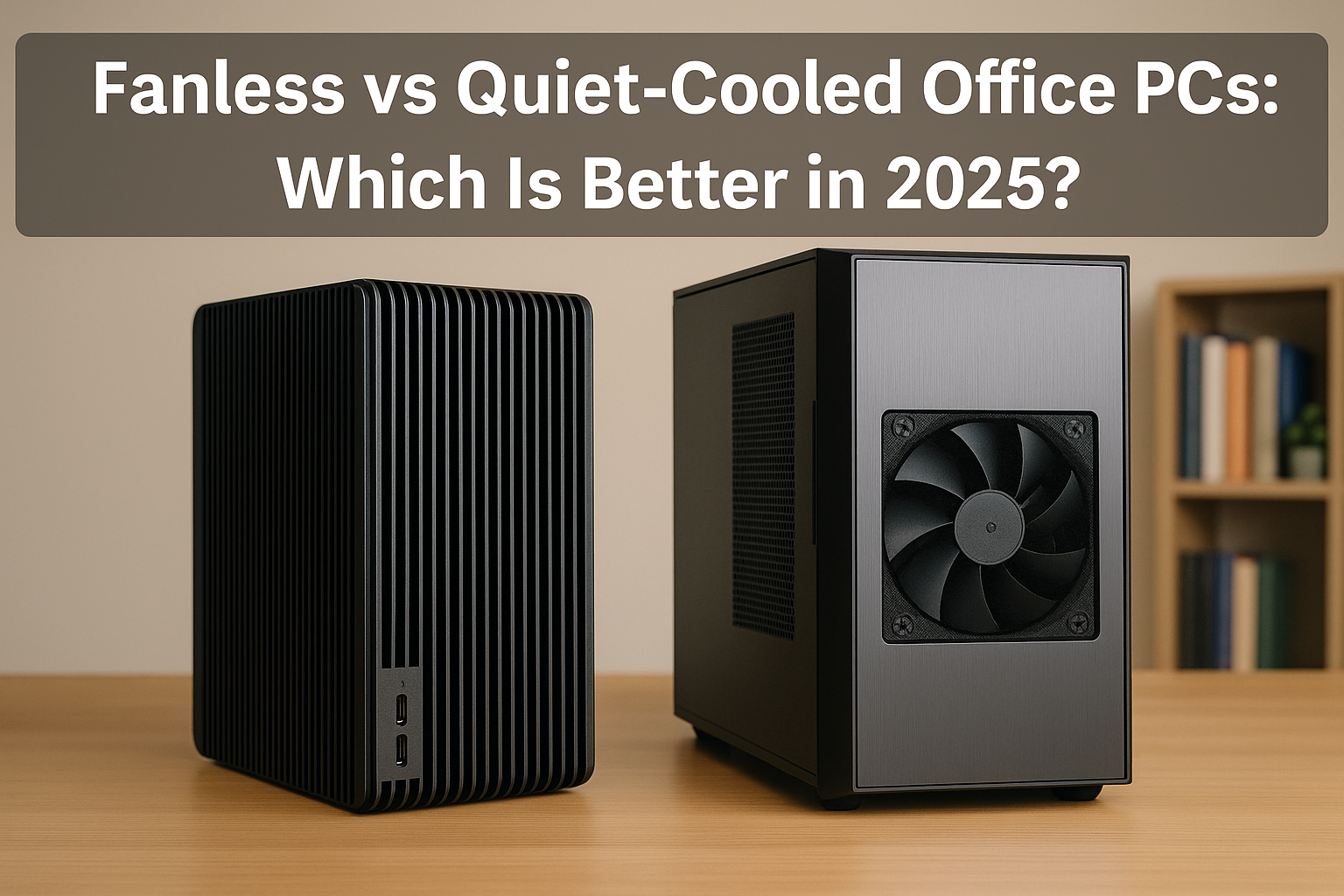
As silent computing becomes a defining feature of modern home offices, professionals in 2025 are increasingly looking for PC solutions that eliminate noise without compromising on performance.
Two popular approaches dominate the space: completely fanless PCs, and quiet-cooled systems that rely on ultra-low-RPM fans and smart airflow management.
Both styles offer distinct benefits and drawbacks, depending on your needs, environment, budget, and performance requirements.
This guide offers a deep dive into the fanless vs. quiet-cooled debate, helping you determine which option best suits your silent office setup in 2025.
Why Silence Is a Priority in Office PCs
With the growing reliance on video conferencing, long work-from-home hours, and compact desk spaces, noise becomes more than just an annoyance—it can directly impact productivity and wellness.
Silent PCs reduce:
Ambient stress caused by mechanical hum
Microphone interference during video calls
Distractions from fans ramping under load
Audible fatigue from extended use
Choosing the right cooling strategy is essential to achieve true silence.
What Is a Fanless PC?
A fanless PC uses passive cooling components that rely on heat sinks, natural convection, and thermal mass to dissipate heat. These systems have no moving parts, meaning zero mechanical noise.
Key characteristics:
Passive CPU and PSU cooling
No case fans
Low-power CPUs and components
Often uses SFF or embedded systems
May include fanless external power bricks
Fanless builds are the gold standard of silence, but they come with thermal and component limitations.
What Is a Quiet-Cooled PC?
A quiet-cooled PC uses active cooling, but is tuned to run at extremely low RPMs, often staying below audible levels under typical workloads. These systems strike a balance between thermal performance and near-silent acoustics.
Key features:
Premium fans (Noctua, be quiet!, Arctic)
Custom fan curves
Hybrid or semi-passive PSUs
Noise-dampening case design
More flexibility with hardware selection
Quiet-cooled systems can be virtually silent if built correctly, especially at idle or under office-level loads.
Comparing Silence: Fanless vs Quiet-Cooled
Absolute Silence
Fanless:
Truly 0 dBA. No spinning parts, so no mechanical sound at all.
Perfect for recording environments or hypersensitive users.
Quiet-Cooled:
Generally 18–22 dBA at idle
Fans may ramp slightly under load
Still quieter than ambient room noise for most users
✅ Fanless wins for total silence.
Cooling Efficiency
Fanless:
Limited thermal dissipation capacity (typically up to 35W–65W TDP)
Requires excellent airflow around the case
Can thermal throttle if overloaded or poorly placed
Quiet-Cooled:
Supports higher-wattage CPUs and discrete GPUs
Controlled thermals with intelligent fan curves
Capable of sustained workloads like video editing or multitasking
✅ Quiet-cooled wins for thermal headroom.
Performance Potential
Fanless:
Limited to lower-wattage CPUs (Ryzen 5700G, Intel N100, etc.)
Often can’t handle high burst loads without throttling
Rarely used with GPUs unless external or ultra-low-power
Quiet-Cooled:
Supports modern desktop CPUs (Ryzen 7, Core Ultra, etc.)
Can accommodate GPUs like RTX 4060 or RX 7600
Ideal for power users needing workstation capabilities
✅ Quiet-cooled is the better choice for power users.
Build Simplicity
Fanless:
Easier to assemble due to fewer components
No fan curve configuration required
Smaller and simpler layout
Quiet-Cooled:
Requires tuning BIOS or software (FanControl)
Cable management needed for airflow optimization
May need anti-vibration accessories
✅ Fanless wins for simplicity and fewer points of failure.
Longevity and Maintenance
Fanless:
No fan bearings to fail over time
Dust-resistant due to sealed enclosure
Less frequent internal cleaning needed
Quiet-Cooled:
Fans eventually degrade or accumulate dust
May need periodic cleaning (every 6–12 months)
More moving parts = higher failure probability
✅ Fanless wins for longevity and low maintenance.
Cost Comparison
Fanless:
Passive coolers and fanless PSUs are expensive
Limited case options (Streacom, Akasa, etc.)
Compact, custom chassis add to the price
Quiet-Cooled:
More choices at every budget level
Standard cases and coolers available
Noctua, Arctic, and be quiet! offer quiet fans at low cost
✅ Quiet-cooled wins for budget flexibility.
Size and Form Factor
Fanless:
Often uses Mini-ITX or custom boards
Can be ultra-compact (under 7L)
Great for minimalist or hidden setups
Quiet-Cooled:
Can range from ITX to ATX towers
More space needed for airflow
May be louder in smaller enclosures
✅ Fanless wins for space efficiency.
Ideal Use Cases for Fanless PCs
- Writing, editing, research
- Office apps, spreadsheets, and web browsing
- Music production or voice-over studios
- Silent home theaters or media centers
- Energy-conscious or off-grid setups
- Environments with lots of dust or no ventilation
Example Fanless Build (2025):
Case: Streacom DB4
CPU: AMD Ryzen 5 5600GE
Motherboard: ASUS B550I
RAM: 32GB DDR4
Storage: 1TB Samsung 990 EVO
PSU: HDPLEX 250W Fanless
Noise: 0 dBA
Ideal Use Cases for Quiet-Cooled PCs
- Multitasking with productivity software
- Creative workloads (photo editing, light video)
- Conference calls and screen sharing
- Running VMs or development environments
- Users wanting silence but not limited power
Example Quiet-Cooled Build (2025):
Case: Fractal Define 7 Compact
CPU: AMD Ryzen 7 8700G
Cooler: Noctua NH-U12S Redux
Fans: 2x Noctua NF-A12x25 at 500 RPM
Storage: 2TB Crucial P5 Plus
PSU: Corsair RM750x Shift (semi-passive)
Noise: 18 dBA at load
Hybrid Approach: Passive at Idle, Quiet at Load
Many users opt for a hybrid model: fans remain off during idle and light tasks, only activating under heavy load.
How to achieve it:
Use semi-passive fans (Noctua, Arctic, Silent Wings)
Configure BIOS/fan curves to stay 0 RPM <45°C
Passive PSU (or hybrid mode)
Limit background tasks to reduce idle temps
This approach delivers fanless silence most of the time with safety margins under stress.
What About Laptops?
Modern ultraportable laptops with passive or near-silent cooling are also popular silent office options.
Top silent laptops in 2025:
Apple MacBook Air M4
Fanless ARM design, long battery life
Lenovo ThinkPad Z13 Gen 3
Near-silent under office load
Framework Laptop 16 (passive config)
Modular and repairable
HP Dragonfly G5
Corporate-grade, whisper-quiet cooling
While not a PC build, they are valid alternatives depending on mobility needs.
Final Verdict: Which One Is Better?
Choose Fanless if:
You want absolute silence (0 dBA)
Your workloads are light to moderate
You work in audio/video environments
You prioritize long-term durability
Your space is extremely small or dusty
Choose Quiet-Cooled if:
You multitask or need power headroom
You want upgrade flexibility
You’re on a tighter budget
You need discrete GPU performance
You value silence—but not at the cost of capability
Final Thoughts
There’s no one-size-fits-all answer. Both fanless and quiet-cooled PCs have matured into viable solutions for silent office setups in 2025.
Fanless delivers pure silence with no compromise on peace, while quiet-cooled builds unlock higher performance at near-silent levels.
Choose based on how you work, how much power you need, and how much silence matters to your daily experience. The right silent PC isn’t just quieter—it helps you think clearer, work smarter, and feel better throughout the day.

Chris Dalton is a tech enthusiast with a passion for helping others build high-performance PCs on a budget. He shares practical advice, in-depth guides, and honest insights to empower freelancers, gamers, and creators to get the most out of their hardware. With hands-on experience and a focus on smart, affordable solutions, Carlos Eduardo turns complex tech into accessible knowledge for all.