
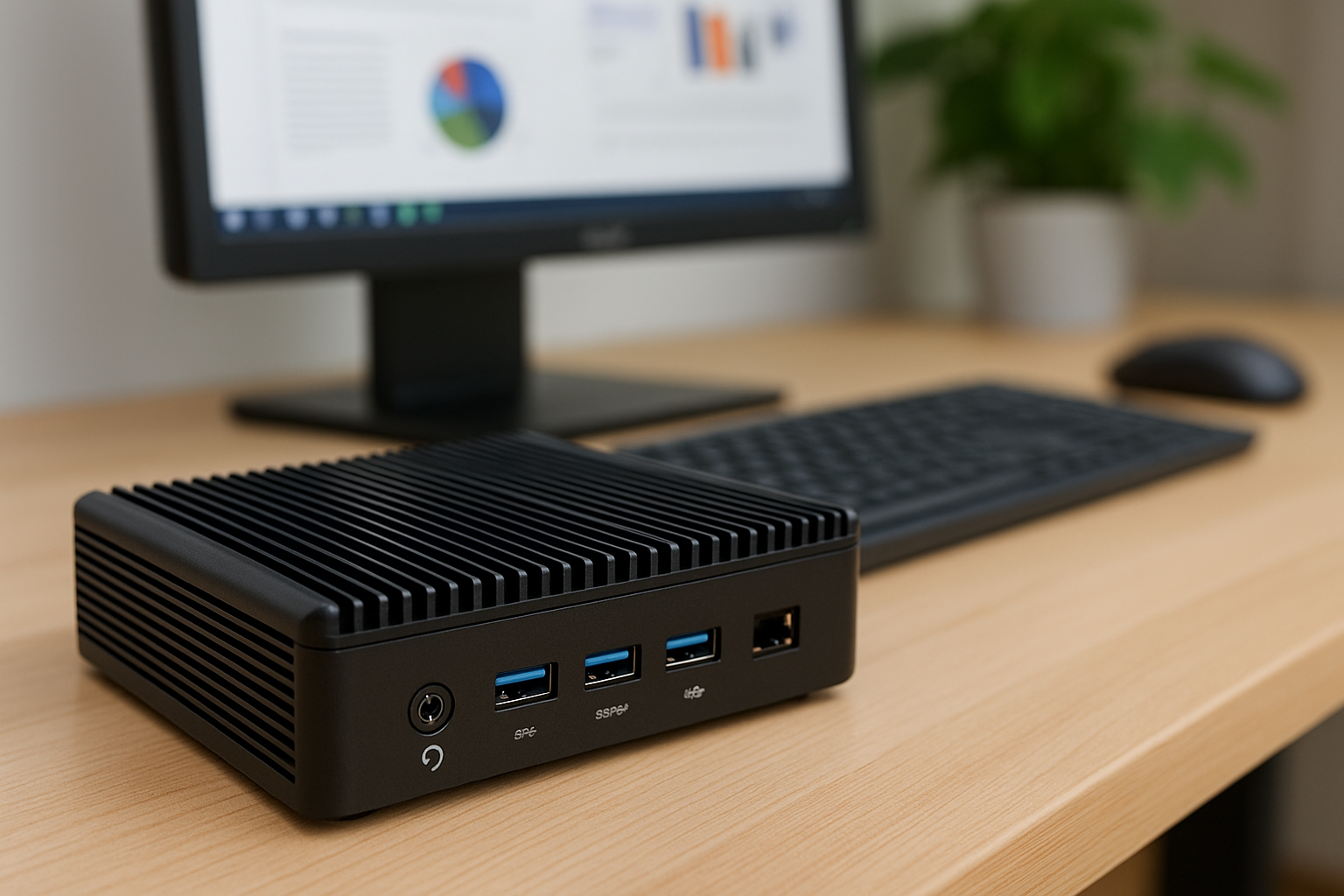
These compact systems eliminate moving parts, dramatically reduce dust buildup, and offer reliable, zero-noise performance for most professional tasks.
In this article, we explore the best fanless mini PCs for office use in 2025, how to choose the right one for your workload, and why these machines are changing the future of quiet computing.
As the demand for silent, efficient, and space-saving workstations grows, fanless mini PCs are becoming the preferred solution for modern office environments.
Whether you’re working remotely, setting up quiet conference spaces, or deploying multiple systems in a shared workspace, the appeal of completely fanless mini PCs in 2025 is stronger than ever.
Why Choose a Fanless Mini PC?
Fanless mini PCs provide a variety of advantages beyond simple silence. For office professionals, their benefits include:
- Complete silence — no fans, no vibration, no ambient hum
- Compact design — fits into tight spaces or can be VESA-mounted behind monitors
- Energy efficiency — ideal for eco-conscious offices or 24/7 operation
- Low maintenance — with no dust-prone fans, there’s less cleaning and fewer mechanical failures
- Durability — fewer moving parts means fewer points of failure over time
For common office tasks like document editing, spreadsheet work, video conferencing, and light web applications, these systems are more than powerful enough.
What Makes a Good Fanless Mini PC?
When evaluating a fanless mini PC for office use, consider the following factors:
- Processor efficiency — Choose a modern low-wattage CPU (typically 6W to 15W TDP)
- Thermal design — Good fanless systems rely on passive heatsinks and chassis design for cooling
- I/O ports — Enough USB, HDMI/DisplayPort, and network options for daily office needs
- Memory and storage capacity — At least 8GB of RAM and 256GB SSD recommended for smooth multitasking
- Build quality — Industrial-grade enclosures for better heat dissipation and durability
- Mounting options — VESA mount compatibility is ideal for saving desk space
Now, let’s explore the top models available in 2025.
1. Intel NUC 13 Essential Fanless Edition
Overview
Intel’s NUC line has long been popular for compact computing, and in 2025 the fanless Essential model offers a perfect balance of power and silence for the modern office.
Specs:
- Intel N100 quad-core CPU
- 8GB or 16GB LPDDR5 RAM
- 512GB NVMe SSD
- Dual HDMI 2.1 ports
- Wi-Fi 6E and Bluetooth 5.3
- Passive aluminum chassis
Why it’s great:
Super compact
Excellent thermals for passive design
Smooth multitasking in office apps
Full driver and firmware support from Intel
Ideal for: Personal workstations, POS systems, digital signage, or remote workers.
2. Zotac ZBOX CI669 Nano
Overview
Zotac’s fanless ZBOX CI series continues in 2025 with new Alder Lake-N CPUs and a focus on professional deployment.
Specs:
- Intel Core i3-N305 or i5-N305
- Up to 32GB DDR5 SO-DIMM
- 2.5” + NVMe M.2 storage bays
- Dual LAN, HDMI, DisplayPort, USB-C
- VESA mount included
Why it’s great:
Plenty of ports
Modular RAM and storage
True silent performance
Wide deployment in IT and government environments
Ideal for: System integrators, small businesses, and IT departments needing reliability.
3. Minisforum MS-01 Passive Edition
Overview
A performance-focused fanless variant of the popular MS-01, this unit uses passive heat spreaders to handle higher workloads.
Specs:
- Intel Core i7-1360P or AMD Ryzen 7 7840U
- Up to 64GB DDR5
- Dual PCIe SSD slots
- Thunderbolt 4 and USB4 support
- Optional 2.5GbE LAN
Why it’s great:
Workstation-class specs in fanless form
Perfect for multitasking and software development
Excellent thermal engineering with side and top cooling panels
Ideal for: Developers, designers, engineers, and remote teams needing power and silence.
4. Fitlet3 by Compulab
Overview
The Fitlet3 is a rugged, modular fanless PC designed for industrial use but perfect for ultra-quiet office setups.
Specs:
- Intel Elkhart Lake Atom x6413E
- Up to 32GB RAM
- eMMC or M.2 SSD
- Customizable I/O (serial, dual LAN, GPIO)
- Completely sealed aluminum body
Why it’s great:
Military-grade durability
Runs silently in harsh conditions
Can be mounted behind monitors or under desks
Ideal for: Office automation, edge computing, or rugged field-based operations.
5. OnLogic Helix 401
Overview
OnLogic’s Helix series targets professional environments with fully passive heat dissipation and enterprise-class reliability.
Specs:
- AMD Ryzen Embedded V2516 or V2718
- Up to 32GB RAM
- NVMe and SATA storage
- Triple display output
- Fanless from top to bottom
Why it’s great:
Stable long-term platform support
Extremely low power usage
Clean industrial design
Ideal for: Offices requiring low-maintenance, long-life devices that operate 24/7.
6. ASRock 4X4 BOX-V1000M (Passive Custom Build)
Overview
While not sold fanless out-of-the-box, this 4×4 system can be passively cooled using third-party cases like Akasa Turing.
Specs:
- AMD Ryzen Embedded V1605B
- 16GB DDR4
- 512GB SSD
- Dual LAN, HDMI + DP, USB 3.2
Why it’s great:
Powerful embedded APU
Smooth 4K video and multitasking
Great community support for passive mods
Ideal for: DIY enthusiasts and businesses needing scalable units.
Use Cases for Fanless Mini PCs in Offices
- Remote employee workstations
- Reception or front desk terminals
- Quiet meeting room media systems
- Client presentation stations
- Kiosk or POS systems
- Digital signage or control terminals
- Server-lite office environments
How to Set Up a Fanless Mini PC for Maximum Productivity
1. Position It Properly
Place the device in open space with vertical clearance
Avoid stuffing it in drawers or closed cabinets
If wall-mounted, leave space for heat dissipation
2. Optimize Software
Disable unused startup apps
Use Windows “Balanced” power plan or custom low-power profile
Turn off animations and visual effects
Set power button to sleep instead of shutdown for instant access
3. Use Quiet Peripherals
Pair with silent keyboards like Logitech MX Keys or Keychron Silent
Choose silent mice (Logitech M330 Silent or MX Master 3S)
Avoid clicky switches or mechanical fans in accessories
4. Protect From Dust
Place above floor level
Use cable organizers to minimize surface contact
Clean surfaces regularly to prevent buildup
What Tasks Are Fanless PCs Best At?
- Word processing and spreadsheets
- Web browsing and email
- Zoom, Teams, and video conferencing
- Accounting and CRM tools
- Data entry and file sharing
- VPN and remote desktop access
- Cloud-based productivity (Google Workspace, Microsoft 365)
Performance Limits: What Not to Expect
While impressive, fanless mini PCs do have limits. Avoid using them for:
- 3D rendering or video editing
- Heavy multitasking with large apps
- Gaming beyond basic titles
- Virtual machine stacking or Docker-heavy workflows
- CPU/GPU-intensive simulations or calculations
For those, quiet-cooled or semi-passive systems are better suited.
Fanless vs Quiet Mini PCs
| Feature | Fanless Mini PC | Quiet Mini PC |
|---|---|---|
| Noise Level | 0 dBA | 18–24 dBA |
| Maintenance | Minimal | Periodic fan cleaning |
| Power | Low to mid | Mid to high |
| Size | Smaller | Slightly larger (for airflow) |
| Price | Often higher | Broader range |
Where to Buy in 2025
Trusted vendors for fanless mini PCs:
- SimplyNUC
- OnLogic
- Compulab
- Zotac Direct
- Minisforum
- Amazon Business
- Newegg
- Industrial PC distributors (Logic Supply, Advantech)
Always look for industrial certifications, return policies, and warranty length when investing in fanless systems.
Final Thoughts
Fanless mini PCs are no longer just niche gadgets—they are the new standard for silent, clean, efficient office computing.
Whether you’re setting up one workstation or deploying dozens across an organization, these systems offer a long-term solution for silent performance, low maintenance, and professional reliability.
With the top models of 2025, you can future-proof your office while enjoying true peace and productivity.

Chris Dalton is a tech enthusiast with a passion for helping others build high-performance PCs on a budget. He shares practical advice, in-depth guides, and honest insights to empower freelancers, gamers, and creators to get the most out of their hardware. With hands-on experience and a focus on smart, affordable solutions, Carlos Eduardo turns complex tech into accessible knowledge for all.