
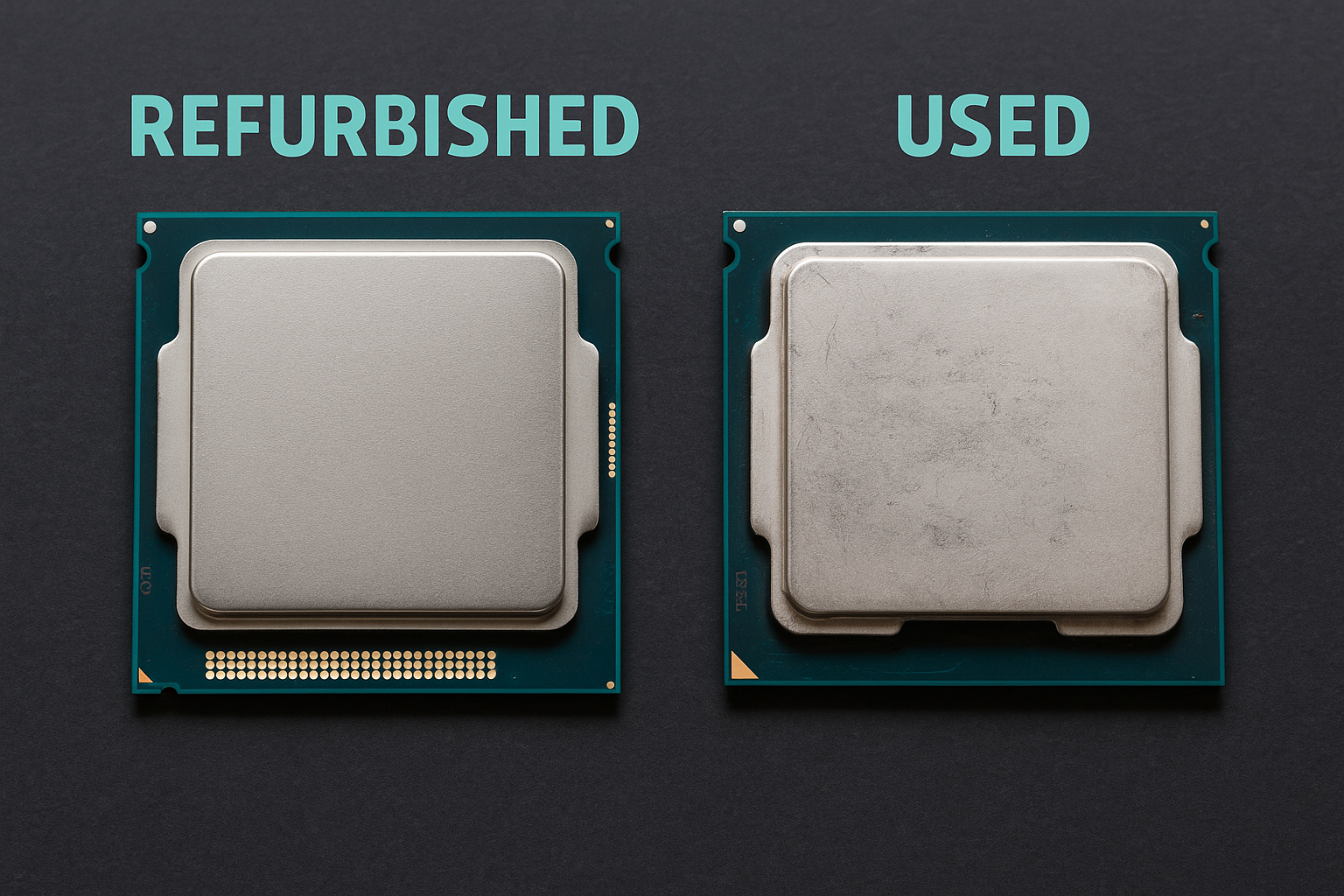
When shopping for budget-friendly PC components, the terms “refurbished” and “used” appear frequently.
While they may seem interchangeable, there’s a big difference between the two—and understanding these differences can make or break your next PC purchase.
In this guide, you’ll learn exactly how refurbished and used PC parts differ in terms of quality, warranty, testing, risk, and value in 2025.
Whether you’re building a gaming rig or upgrading a workstation, knowing which option suits your needs can save you time, money, and frustration.
What Does “Used” Mean?
Used PC hardware is typically sold “as-is” by individuals or third parties. It could come from:
- A previous owner upgrading
- A decommissioned office PC
- Marketplace resellers or tech hobbyists
Characteristics of used hardware:
- No official inspection or testing
- No warranty (unless seller offers it)
- Condition varies from like-new to heavily worn
- Price is usually lower than refurbished
Used parts may be completely functional—but may also have hidden wear, dust, or minor damage.
What Does “Refurbished” Mean?
Refurbished PC parts have been tested, cleaned, and sometimes repaired by:
- The original manufacturer (OEM refurbished)
- Authorized refurbishers (e.g., Microsoft Authorized Refurbishers)
- Third-party refurb companies (Amazon Renewed, Newegg Refurbished)
Characteristics of refurbished hardware:
- Tested for functionality
- Often repackaged and cleaned
- May include warranty (30 days to 1 year)
- Usually more expensive than used
Refurbs are designed to feel “like new”—even if they aren’t brand-new out of the factory.
Key Differences: Refurbished vs Used
| Feature | Refurbished | Used |
|---|---|---|
| Testing | Thoroughly tested and certified | Typically untested |
| Warranty | Yes (30–365 days) | Rarely included |
| Seller type | Businesses, OEMs, certified refurbishers | Anyone (individuals, small shops) |
| Condition | Like-new or very good | Varies widely |
| Price | Higher | Lower |
| Return policy | Often included | Seller-dependent |
| Risk level | Low to moderate | Moderate to high |
In short: Refurbished = safer, more expensive; Used = cheaper, more unpredictable.
Pros and Cons
Refurbished
Pros:
- Peace of mind with warranty
- Professionally cleaned and tested
- Ideal for businesses or mission-critical systems
Cons:
- Higher cost
- Limited selection
- May be slightly older than current-gen options
Used
Pros:
- Cheapest option
- Huge availability on local and global markets
- Great for budget or secondary builds
Cons:
- No warranty or guarantees
- May have wear, dust, or unknown history
- Greater risk of failure or incompatibility
Real-World Example: Used vs Refurbished GPU
Let’s say you want a GTX 1660 Super for a $500 gaming build.
- Used version from Facebook Marketplace: $110
- No warranty, no box, seller says “worked last time I used it.”
- No photos of it running, no return policy.
- Refurbished version from Newegg: $150
- 90-day warranty, benchmarked and cleaned
- Tested, secure packaging, returnable in 30 days
Which is better?
If every dollar counts, the used GPU is tempting—but the refurbished one protects your investment better in the long run.
When to Choose Refurbished Over Used
Refurbished is the better option when:
- You need reliability for work or school.
- The system is for someone else (clients, family, employees).
- You don’t want to risk hardware returns or diagnostics.
- You’re building in bulk and need consistency.
It’s also ideal when the price gap between new and refurbished is minimal (e.g., refurbished PSU for $55 vs new for $65).
When to Choose Used Over Refurbished
Used makes more sense when:
- You’re comfortable testing and troubleshooting hardware.
- You’re building a budget or entry-level rig.
- You want maximum performance per dollar.
- You’re buying parts with long life spans (cases, fans, even CPUs).
Used is a great way to access higher-tier performance for less, as long as you know what to look for.
Where to Buy Each Type
Best places for refurbished parts:
- Amazon Renewed – Reliable, includes warranties
- Newegg Refurbished – Often includes OEM parts
- eBay (Certified Refurbished) – Check seller credentials
- OEM websites (Dell Outlet, Lenovo Refurb, HP Renew)
Best places for used parts:
- Reddit /r/hardwareswap – Trusted community with feedback
- eBay (individual sellers) – Look for seller ratings
- Facebook Marketplace – Great for local deals (test in person)
- Local PC shops or recyclers
Always compare prices between platforms to find the best value for your needs.
Hybrid Option: “Open Box” or “Like New”
Many online retailers also offer “Open Box” or “Like New” items:
- Returned by buyers but barely used
- Functionally identical to new
- Often cheaper than new but with partial warranty
These options sit between used and refurbished—worth considering if available.
What About Refurbished Laptops or Pre-Built PCs?
Refurbished complete systems are often better than used ones:
- More tested, cleaned, and reset to factory settings
- Typically include valid Windows licenses
- Great for students, businesses, and casual users
If you’re buying a full system, go refurbished before you go used, unless you know how to wipe and reconfigure everything yourself.
Final Thoughts: Know Your Needs and Comfort Level
In 2025, both refurbished and used PC hardware have a place—just for different people and scenarios.
- Refurbished is for reliability, support, and risk-avoidance.
- Used is for flexibility, savings, and confident DIY builders.
Know your comfort with risk, your system’s importance, and your budget. With the right mindset and research, either option can be a smart, sustainable, and cost-effective way to build or upgrade a computer.

Chris Dalton is a tech enthusiast with a passion for helping others build high-performance PCs on a budget. He shares practical advice, in-depth guides, and honest insights to empower freelancers, gamers, and creators to get the most out of their hardware. With hands-on experience and a focus on smart, affordable solutions, Carlos Eduardo turns complex tech into accessible knowledge for all.