
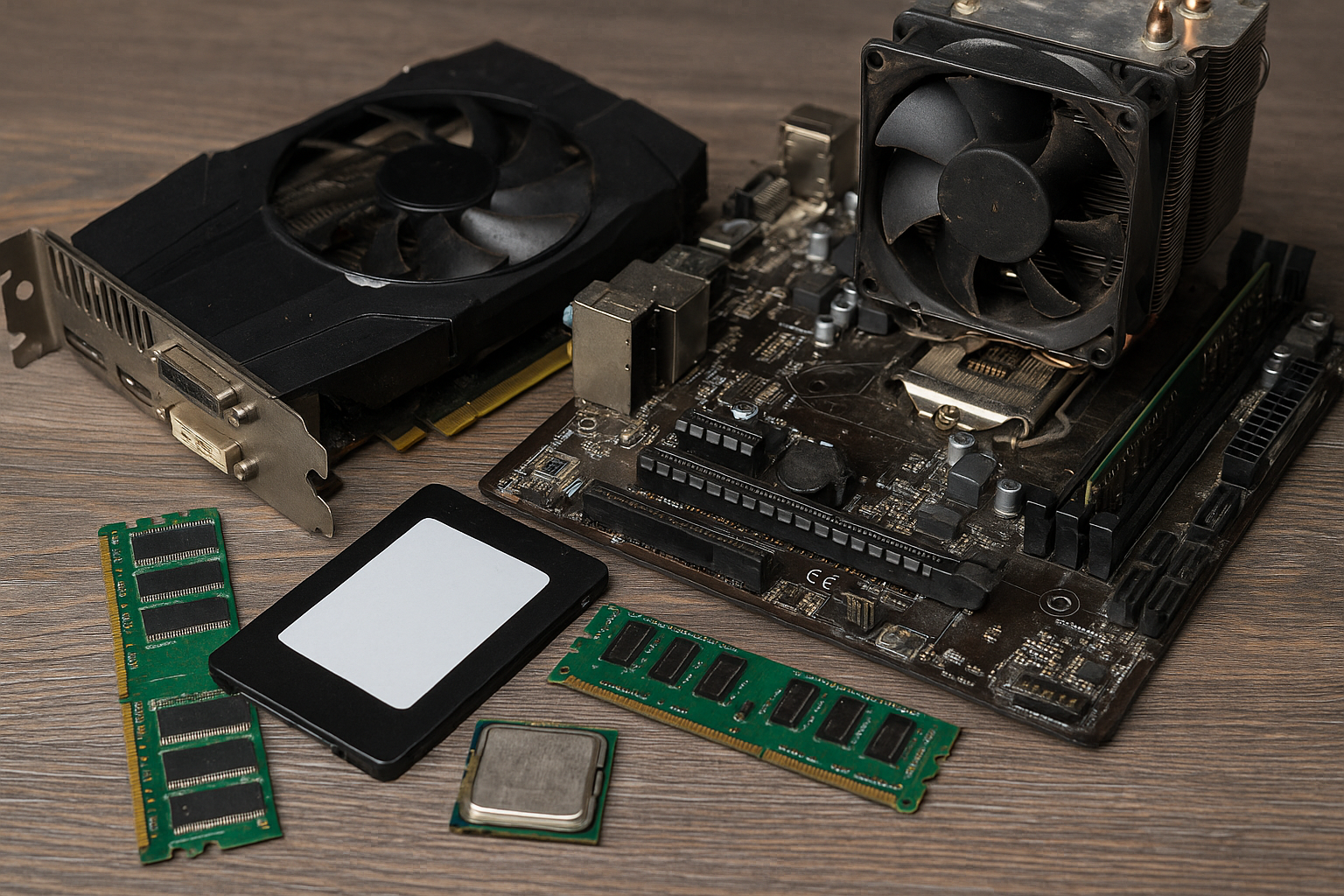
Selling your old PC components is a smart way to recover value from your previous builds and contribute to a more sustainable tech ecosystem.
But in 2025, with rising buyer expectations, market competition, and platform policies, selling used PC parts requires more than just uploading a photo and waiting.
This guide will walk you through how to safely and successfully sell your used hardware online—while protecting yourself from scams, boosting buyer trust, and maximizing your return.
Why Sell Used PC Parts?
Whether you’ve upgraded your system or parted out an older build, selling components like GPUs, CPUs, motherboards, RAM, and SSDs can:
- Recover part of your upgrade budget
- Reduce electronic waste
- Support other builders on a budget
- Make room for future components
Demand for used parts in 2025 is still strong, especially among gamers, students, home office users, and eco-conscious buyers.
Step 1: Clean and Inspect Your Components
Before listing anything, make sure your parts are:
- Cleaned thoroughly using compressed air and isopropyl alcohol (if needed)
- Free of physical damage like bent pins, scorch marks, or stripped screws
- Tested and working – if you can, show them running in a system
For CPUs and GPUs:
- Remove old thermal paste
- Include clean, close-up photos of the socket area and pins
For motherboards:
- Check for bent socket pins, bloated capacitors, or missing heatsinks
For SSDs/HDDs:
- Wipe drives using secure erase tools like DBAN or manufacturer software
Buyers will appreciate receiving clean, functional components—and you’ll avoid returns or disputes.
Step 2: Take High-Quality Photos
Photos sell the item. Take clear, well-lit photos from multiple angles:
- Top view
- Side view showing ports and connectors
- Sticker or serial number
- Accessories included (e.g., cables, I/O shields)
Avoid blurry or stock images—buyers are wary of fakes in 2025. If possible, show the item in use (e.g., GPU running in a system with GPU-Z open).
Step 3: Choose the Right Platform
Different platforms cater to different audiences. Here’s where to sell and what to expect:
| Platform | Pros | Cons |
|---|---|---|
| eBay | Wide reach, buyer protection, international sales | Fees (~13%), returns, scam risk |
| Reddit /r/hardwareswap | Enthusiast audience, no fees | Requires trust and active account |
| Facebook Marketplace | Local sales, no shipping | No protection, more no-shows |
| Mercari | Lower fees, app-based ease | Less tech-focused audience |
| Newegg Marketplace | Professional seller tools | Requires registration/business setup |
For high-value items like GPUs or CPUs, eBay and Reddit are best. For bulk or local selling, Facebook and Craigslist can work—but require extra caution.
Step 4: Write a Trustworthy Listing
A good listing builds buyer trust. Include:
- Accurate title (e.g., “Ryzen 5 3600 – Tested – Works Perfectly”)
- Full specs: brand, model number, clock speeds, capacity
- Condition: “Lightly used”, “Tested and cleaned”, “Used daily until upgrade”
- Usage history: Was it overclocked? Used for gaming, mining, or rendering?
- What’s included: Original box? Accessories?
- Return policy (if any)
Keep your tone professional and honest. Undersell a little to avoid overpromising.
Step 5: Price It Right
Pricing can make or break your listing. Use these tools to check current market value:
- eBay “Sold” listings filter
- PCPartPicker (for new vs used price gaps)
- Reddit’s daily price check threads
- Marketplace averages
Set a fair price:
- Competitive with other used listings
- Slightly lower if you want a fast sale
- Add a buffer if including shipping or accessories
Tip: Bundle parts (e.g., CPU + motherboard + RAM) to increase value and ease of sale.
Step 6: Communicate Clearly with Buyers
Once you start receiving messages:
- Answer promptly and politely
- Avoid vague questions—ask buyers to be specific
- Don’t share personal info (e.g., phone number, address) until confirmed
- Be cautious of lowball offers or “urgent” buyers
On Reddit or forums, use your account history to build trust. On Facebook or Craigslist, insist on public meetups and cash payments only.
Step 7: Pack and Ship Securely
If selling online, packing is just as important as the sale itself. Use:
- Antistatic bags for all components
- Bubble wrap or foam to protect against impact
- Sturdy box with no room for movement
- Tracking and insurance, especially for high-value items
For CPUs and RAM:
- Place in original clamshell or similar protection
For GPUs:
- Use rigid box with anti-static wrap, and add padding to protect fans and heatsinks
Include a simple thank-you note—it builds goodwill and helps your seller rating.
Step 8: Protect Yourself from Scams
Unfortunately, scams are common in the secondhand market. Here’s how to avoid them:
- Use seller protection platforms (eBay, PayPal Goods & Services)
- Never accept Venmo, Zelle, or wire transfers from strangers
- Avoid “overpayment” scams (“I’ll send you $100 extra, just send back the difference”)
- Document the packing process with photos or video
For local sales, only meet in safe, public places like a coffee shop or bank parking lot.
Step 9: Manage Returns (if applicable)
If your platform allows returns:
- Be responsive and cooperative, especially if you offered a guarantee
- Ask for photo proof if a buyer claims a problem
- Request return shipping before issuing a refund
- Inspect returned parts to avoid part-swapping fraud
If you’re selling “as-is” with no returns, make that explicitly clear in the listing.
Step 10: Reinvest or Recycle
Once you’ve sold your parts:
- Consider reinvesting into your next build
- Donate unsold, working components to local schools or community tech centers
- Recycle broken or outdated parts responsibly through e-waste programs
Closing the loop makes your tech hobby more sustainable.
Final Thoughts: Be Honest, Be Safe, and Build Your Reputation
Selling used PC parts online in 2025 is easier than ever—but it takes careful prep, clear communication, and protection against common pitfalls.
If you’re honest, detailed, and responsive, you’ll build trust and turn your old hardware into value—not waste. You might even build a side hustle doing it.

Chris Dalton is a tech enthusiast with a passion for helping others build high-performance PCs on a budget. He shares practical advice, in-depth guides, and honest insights to empower freelancers, gamers, and creators to get the most out of their hardware. With hands-on experience and a focus on smart, affordable solutions, Carlos Eduardo turns complex tech into accessible knowledge for all.