
Gaming PCs can be expensive—but they don’t have to be. In 2025, $800 is enough to build a powerful system that handles 1080p and even 1440p gaming with ease.
Thanks to price drops on previous-gen hardware and strong mid-tier options, budget-conscious gamers can enjoy modern titles without sacrificing performance.
This guide walks you through an optimized $800 gaming build, including detailed part selection, performance expectations, upgrade paths, and buying tips.
Why Build for $800?
An $800 budget hits the sweet spot between affordability and performance. At this price point, you can expect:
- Smooth gameplay at 1080p ultra and 1440p high settings
- Excellent streaming and multitasking capability
- Modern connectivity (PCIe 4.0, Wi-Fi 6, M.2 SSDs)
- A build that will stay relevant for several years
This budget also gives room for both new and refurbished parts, allowing flexibility based on what’s available in your region.
$800 Gaming PC Build (Mid-2025)
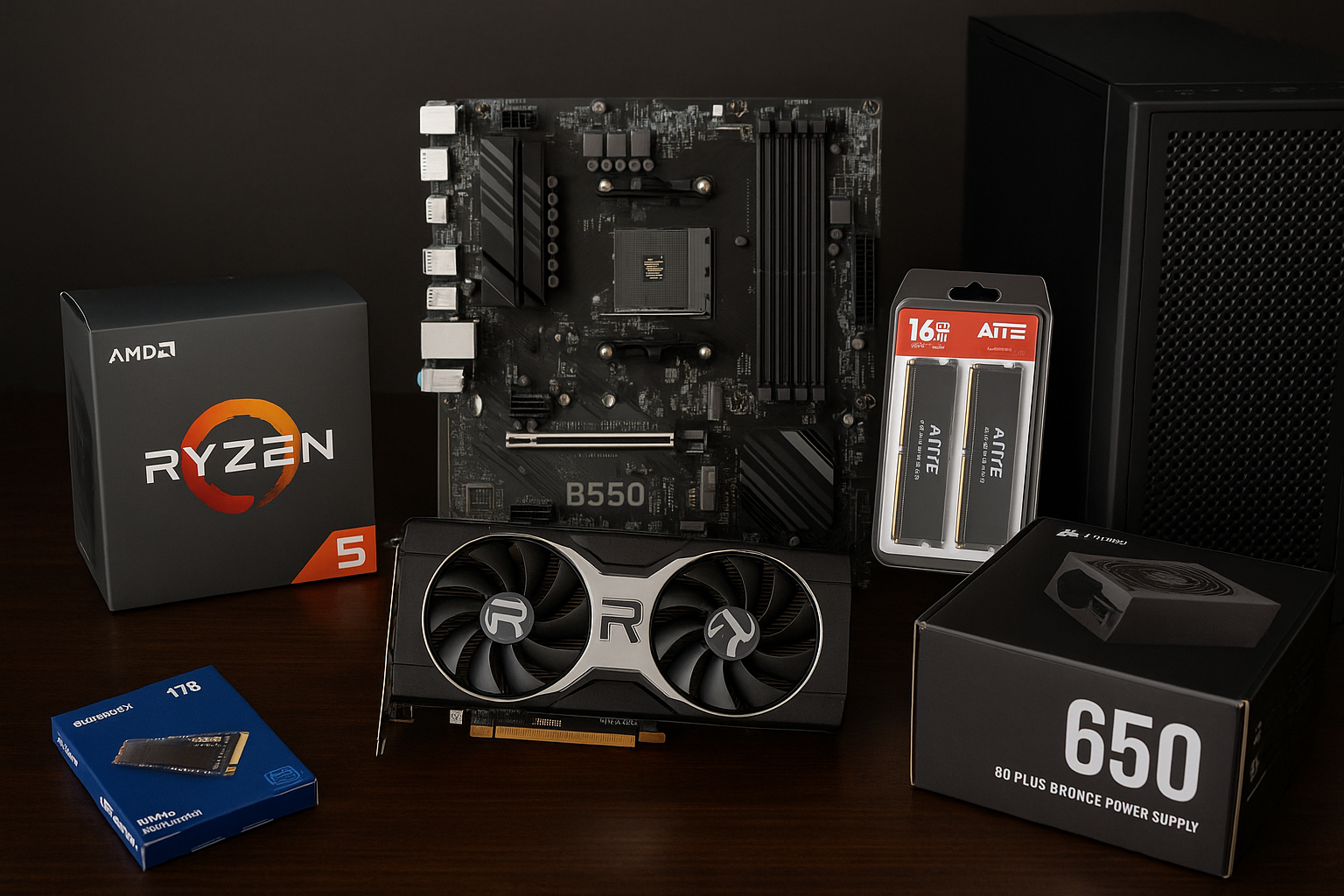
Here’s a balanced configuration for $800 that prioritizes gaming performance, reliability, and upgradeability:
| Component | Model | Price (USD) |
|---|---|---|
| CPU | AMD Ryzen 5 5600 | $125 |
| GPU | AMD Radeon RX 6700 XT (Refurbished) | $240 |
| Motherboard | B550 Micro-ATX (Wi-Fi Optional) | $90 |
| RAM | 16GB (2x8GB) DDR4 3600MHz | $50 |
| Storage | 1TB NVMe SSD (PCIe 3.0 or 4.0) | $55 |
| Power Supply | 650W 80+ Bronze (Corsair/Cooler Master) | $60 |
| Case | Mid-Tower with airflow (NZXT or similar) | $60 |
| Cooling | Stock cooler (included with CPU) | $0 |
| Total | $780 |
Prices may vary slightly depending on location and availability. All parts are available new, but using refurbished GPUs helps maximize performance at this budget.
Performance Overview
With this build, you can expect excellent performance in modern titles:
1080p Gaming (Ultra Settings)
- Call of Duty: Modern Warfare III – 120–140 FPS
- Cyberpunk 2077 – 70–85 FPS (without ray tracing)
- Valorant / CS2 – 200+ FPS
- Fortnite – 130–150 FPS (High settings)
1440p Gaming (High Settings)
- Hogwarts Legacy – 60–70 FPS
- Elden Ring – 75–90 FPS
- Apex Legends – 100+ FPS
- Baldur’s Gate 3 – 60–80 FPS
Streaming and Content Creation
- The Ryzen 5 5600’s 6 cores and 12 threads handle multitasking well.
- GPU acceleration speeds up video editing in DaVinci Resolve or Adobe Premiere.
- Excellent for Twitch or YouTube streaming at 1080p 60fps with OBS.
Why These Parts?
🔹 AMD Ryzen 5 5600
- One of the best budget gaming CPUs of the last few years.
- Strong single-core and multi-core performance.
- Compatible with affordable B550 motherboards and supports PCIe 4.0.
🔹 Radeon RX 6700 XT
- Excellent 1080p and 1440p performance.
- 12GB VRAM ensures longevity and support for heavier textures.
- Performs better than RTX 3060 in most rasterized workloads.
🔹 B550 Motherboard
- Future-proof with PCIe 4.0 and USB 3.2.
- Affordable and widely compatible with Ryzen 3000/5000 series.
- Optional Wi-Fi if you need wireless connectivity.
🔹 16GB DDR4 3600MHz RAM
- Ideal capacity and speed for modern gaming.
- Dual-channel for optimal performance.
🔹 1TB NVMe SSD
- Fast boot and load times.
- PCIe 3.0 is sufficient, but PCIe 4.0 is a nice bonus if budget allows.
🔹 650W PSU
- Enough power for current and future upgrades (including GPUs up to RTX 4070).
- Trusted brands offer stable and efficient power delivery.
🔹 Budget Mid-Tower Case
- Good airflow and cable management.
- Room for future upgrades and additional fans.
Optional Upgrades
If you find discounts or have an extra $50–$100 to spare, consider:
- Upgrading to Ryzen 7 5700X – For better multitasking ($40 more)
- Adding a 2TB HDD – For game or media storage
- Getting a better CPU cooler – For quieter performance and overclocking
- Choosing a case with RGB or tempered glass – For aesthetics
Where to Buy Smart in 2025
To stay within budget:
- Use price comparison tools (PCPartPicker, Honey, etc.)
- Check refurbished listings for GPUs (eBay, Newegg, Amazon Renewed)
- Look for bundle deals (CPU + Motherboard combos)
Trusted sellers for budget builders:
- Micro Center (US-only, great in-store combos)
- Newegg (refurb and open-box deals)
- Amazon (track sales and Lightning Deals)
- Local marketplaces (Reddit /r/hardwareswap, Facebook)
Building Tips for Beginners
- Always ground yourself before handling components.
- Use a magnetic screwdriver to avoid lost screws.
- Install the CPU and RAM on the motherboard before placing it in the case.
- Watch updated YouTube tutorials for your case and motherboard model.
- Cable management helps airflow and aesthetics—don’t rush it!
Future-Proofing and Upgrade Path
This build leaves room to grow:
- Upgrade to a Ryzen 7 or 9 CPU on the same board.
- Install 32GB of RAM for heavy creative or multitasking needs.
- Swap in an RTX 4070 / RX 7700 XT later when prices drop.
- Add Wi-Fi card or Bluetooth adapter if needed.
With its strong foundation, this build should last 3–5 years for most gaming needs.
Final Thoughts: A Lot of PC for the Price
In 2025, $800 is enough to build a capable, efficient, and powerful gaming PC that handles anything from esports to AAA titles.
By choosing the right balance of new and refurbished components, you don’t have to compromise on performance—or style.
Focus on smart purchases, shop patiently, and you’ll end up with a rig that rivals pre-builts costing $1,000 or more.

Chris Dalton is a tech enthusiast with a passion for helping others build high-performance PCs on a budget. He shares practical advice, in-depth guides, and honest insights to empower freelancers, gamers, and creators to get the most out of their hardware. With hands-on experience and a focus on smart, affordable solutions, Carlos Eduardo turns complex tech into accessible knowledge for all.