
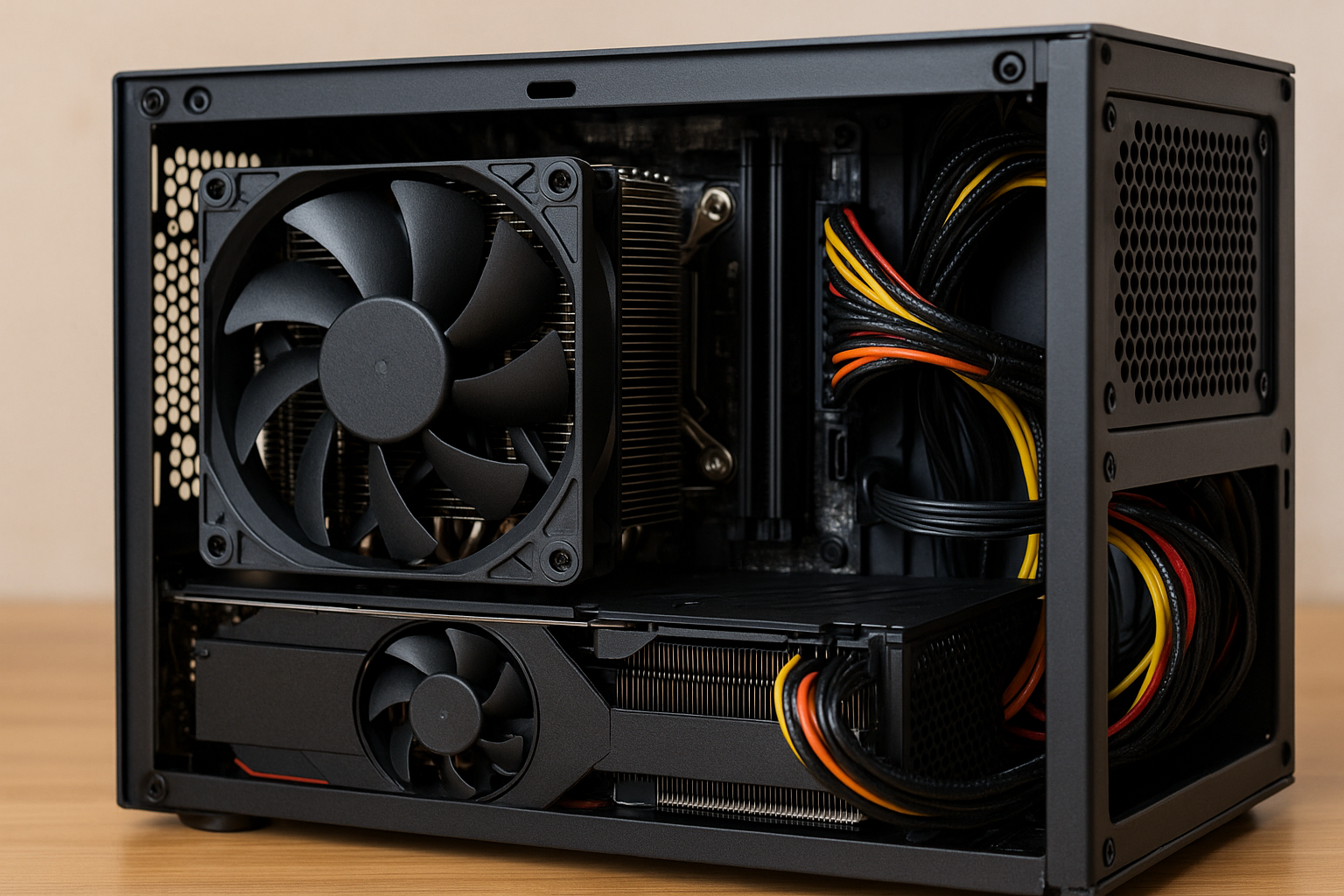
Airflow is the single most misunderstood aspect of Mini SFF PC building. Many builders focus on powerful components and forget that, in compact systems, airflow determines performance, noise levels, and long-term reliability.
In small form factor cases, there is no room for inefficient airflow. Every fan, vent, and cable placement affects how heat moves through the system.
This guide explains, in a simple and beginner-friendly way, how airflow really works in Mini SFF cases and how to optimize it in 2025.
Why Airflow Is Different in Mini SFF Cases
Mini SFF cases behave very differently from ATX towers.
In larger cases, air has space to circulate and escape naturally. In compact enclosures, airflow paths are short, restricted, and highly sensitive to obstruction.
Heat builds up faster, and mistakes have a bigger impact. A single poorly placed cable or fan can raise temperatures across the entire system.
Understanding airflow is essential for stable SFF builds.
Basic Airflow Principles Explained Simply
Airflow follows simple rules.
Cool air enters the case, absorbs heat from components, and exits as warm air. Problems arise when air becomes trapped or recirculates inside the case.
In Mini SFF builds, airflow must be:
- Direct
- Predictable
- Unobstructed
The goal is to move heat out of the case as efficiently as possible.
Intake vs Exhaust: Getting the Balance Right
Intake fans pull cool air into the case.
Exhaust fans push warm air out. In small cases, the balance between intake and exhaust is critical.
Too much intake with poor exhaust traps heat. Too much exhaust without proper intake creates negative pressure and dust buildup.
Most Mini SFF cases work best with:
- Slightly more intake than exhaust
- Clearly defined airflow direction
- Short airflow paths
Balance creates stability.
Positive vs Negative Pressure in Mini SFF PCs
Pressure refers to how air moves through gaps and vents.
Positive pressure means more air enters than exits. Negative pressure means more air exits than enters.
In Mini SFF cases:
- Slight positive pressure helps reduce dust
- Balanced pressure improves cooling consistency
- Extreme pressure in either direction causes issues
Moderation is key in compact builds.
The Role of Case Design in Airflow
Case design determines airflow behavior.
Some Mini SFF cases rely heavily on side ventilation. Others use top or bottom airflow. Very few follow traditional front-to-back designs.
Before installing fans, study:
- Vent placement
- Mesh areas
- Component layout
- PSU position
Good airflow starts with understanding the case itself.
CPU Cooler Orientation and Airflow
CPU coolers strongly influence airflow.
Low-profile air coolers often push air sideways or downward. This can either help or hurt airflow depending on case layout.
Proper CPU cooler setup includes:
- Aligning airflow with case exhaust
- Avoiding airflow conflicts
- Ensuring fresh air intake
A poorly oriented CPU cooler disrupts the entire airflow system.
GPU Impact on Airflow
The GPU is often the largest heat source.
In Mini SFF builds, GPUs sit very close to panels and other components. This limits airflow and increases heat density.
Key GPU airflow considerations:
- Fan orientation
- Distance from case panels
- Exhaust direction
- Clearance around the GPU
Efficient GPU airflow protects the entire system.
Blower-Style vs Open-Air GPUs
Blower-style GPUs exhaust hot air directly out of the case.
Open-air GPUs dump heat inside the case. In small enclosures, this difference matters more than in ATX systems.
Blower-style GPUs:
- Increase exhaust efficiency
- Reduce internal heat buildup
- Often run louder
Open-air GPUs:
- Are quieter
- Require better case airflow
- Depend on good exhaust paths
The right choice depends on case design.
Fan Placement Strategies That Actually Work
More fans do not always mean better cooling.
In Mini SFF cases, fan placement is more important than fan quantity.
Effective strategies include:
- Intake near CPU or GPU
- Exhaust near heat concentration zones
- Avoiding opposing airflow directions
Fans should work together, not against each other.
Fan Size and Static Pressure Explained
Fan size impacts airflow behavior.
Smaller fans spin faster and are louder. Larger fans move more air at lower RPMs.
Static pressure is especially important in SFF builds. Fans must push air through tight vents and dense components.
Choose fans designed for:
- High static pressure
- Quiet operation
- PWM control
Fan quality makes a noticeable difference.
Cable Management and Airflow
Cables are silent airflow killers.
In tight spaces, loose cables block airflow paths and trap heat. Poor cable management raises temperatures and increases noise.
Good cable management includes:
- Short cables
- Routing along case edges
- Avoiding airflow paths
- Minimal cable overlap
Clean builds cool better.
The PSU’s Role in Airflow
Power supplies affect airflow more than expected.
Some PSUs intake air from inside the case. Others draw air directly from outside through vents.
Understanding PSU airflow direction helps avoid:
- Heat recirculation
- Conflicting airflow
- Hot spots near the GPU or CPU
PSU orientation should complement overall airflow.
Vertical vs Horizontal Case Layouts
Case orientation changes airflow behavior.
Vertical cases rely more on natural convection. Horizontal cases depend heavily on fan direction.
Each layout requires different airflow planning. What works in one orientation may fail in another.
Always design airflow based on how the case is positioned.
Managing Dust Without Killing Airflow
Dust reduces cooling efficiency.
Mini SFF cases are especially sensitive to dust buildup due to small vents.
Effective dust management includes:
- Fine mesh filters
- Positive pressure
- Regular cleaning schedules
Clean airflow is efficient airflow.
Temperature Monitoring and Adjustment
Airflow optimization is not a one-time task.
Monitoring temperatures helps identify airflow issues. Adjustments can then be made through fan curves or component repositioning.
Key metrics to monitor:
- CPU temperature
- GPU temperature
- Case ambient temperature
- Fan noise levels
Small adjustments can produce big improvements.
Common Airflow Mistakes in Mini SFF Builds
Many airflow issues come from simple mistakes.
Common problems include:
- Random fan placement
- Ignoring exhaust paths
- Overcrowded components
- Poor cable routing
Avoiding these mistakes improves stability immediately.
Why Good Airflow Makes Mini SFF PCs Better
Good airflow transforms a Mini SFF PC.
It reduces noise, improves performance consistency, and extends component lifespan. In compact systems, airflow is the foundation of everything else.
When airflow is done right, Mini SFF builds are quiet, cool, and reliable.
Understanding Airflow Is the Key to SFF Success
Airflow is not complicated, but it is critical.
By understanding how air moves inside Mini SFF cases, even beginners can build efficient and stable systems. In 2025, compact PCs no longer require compromises when airflow is properly designed.
Master airflow, and your Mini SFF PC will reward you with long-term performance.

Chris Dalton is a tech enthusiast with a passion for helping others build high-performance PCs on a budget. He shares practical advice, in-depth guides, and honest insights to empower freelancers, gamers, and creators to get the most out of their hardware. With hands-on experience and a focus on smart, affordable solutions, Carlos Eduardo turns complex tech into accessible knowledge for all.