
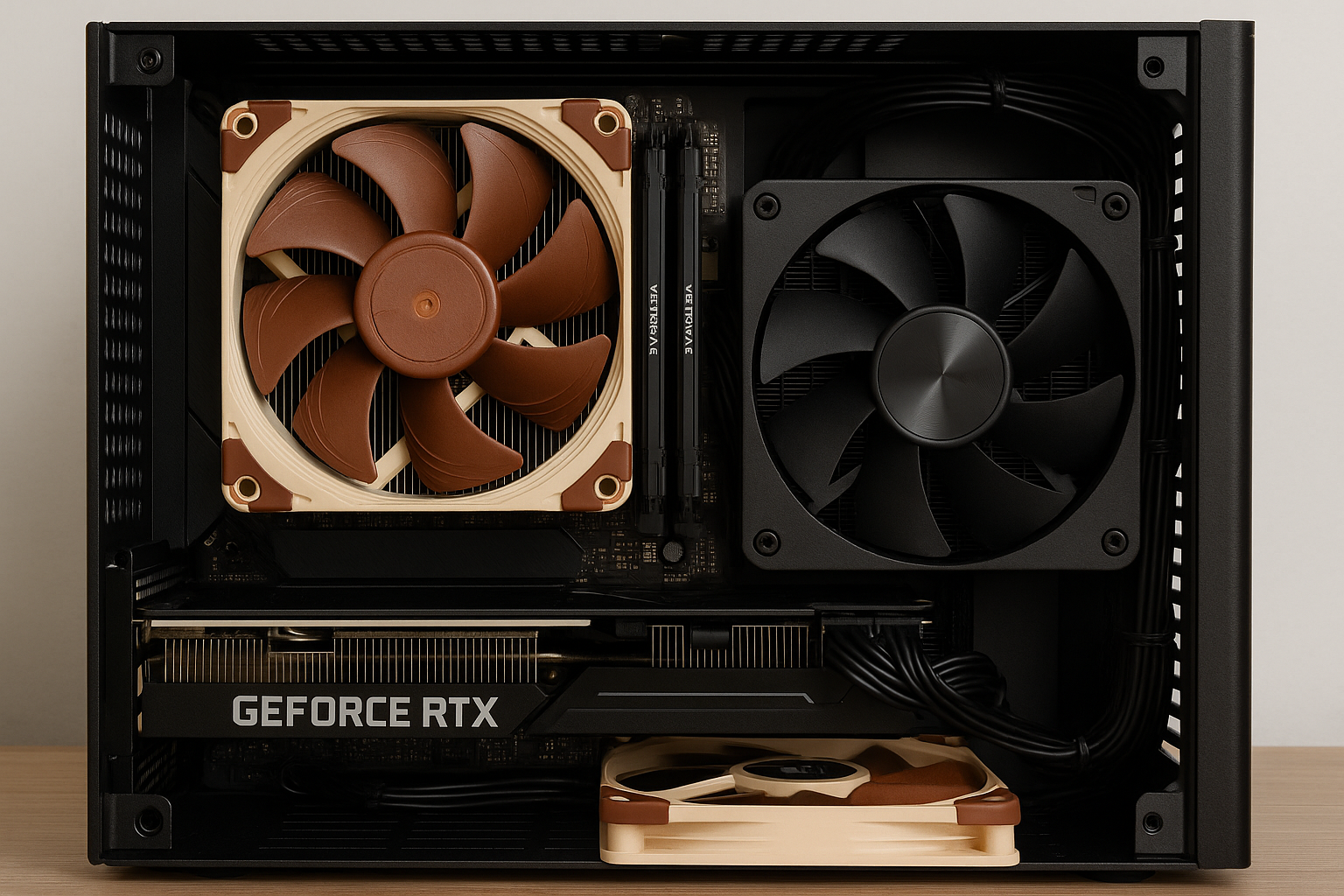
Building a high-performance Mini SFF (Small Form Factor) PC is more rewarding—and challenging—than ever. In 2025, compact cases can support top-tier CPUs and GPUs, but keeping them cool in such tight spaces requires strategic component choices and smart airflow management. Unlike traditional mid-towers, Mini SFF systems operate on millimeters of clearance and airflow channels that need to be optimized from the start.
In this guide, we’ll explore the best cooling solutions for powerful Mini SFF builds, whether you’re planning to game at 4K, stream your gameplay, or run intense workloads like video editing or 3D rendering. You’ll learn about CPU coolers, GPU thermals, case airflow, fan configurations, thermal paste, undervolting, and essential best practices to maintain cool, quiet performance in a tiny package.
Why Cooling Matters So Much in Mini SFF PCs
Unlike larger ATX cases, Mini SFF builds don’t have room to hide inefficient airflow or oversized components. Heat builds up quickly, and if not dissipated properly, it can lead to thermal throttling, unstable performance, or even hardware failure.
Unique Challenges in Mini SFF Cooling
Tight component spacing restricts airflow
Small surface area limits heatsink size
Negative pressure airflow can trap heat
Cable clutter reduces air circulation
A single hot component can affect the whole build
Good cooling is not optional—it’s foundational.
CPU Cooling: Picking the Right Cooler for Small Spaces
The CPU is the most consistently active component in your system. In a Mini SFF build, it’s crucial to use a cooler that fits your case and delivers enough cooling for your chip’s thermal design power (TDP).
Top Air Coolers for Mini SFF in 2025
Noctua NH-L12S
Top-tier low-profile air cooler
Supports 95W+ CPUs with whisper-quiet fans
Top-mount fan option for better case airflow
Fits in most 10–20L cases
Thermalright AXP90-X53
Slim and compact—perfect for tight builds
Aluminum and copper heatpipes
Surprising thermal efficiency under 70W loads
Budget-friendly and reliable
Scythe Big Shuriken 3 Rev.B
Excellent cooling for up to 100W TDP CPUs
Very quiet even under load
Wide compatibility with RAM and motherboards
Great balance of size and cooling power
When to Use Passive Cooling
If you’re building a low-power system (under 35W TDP), consider a passive solution like:
Noctua NH-P1
Completely silent passive air cooler
Works best with CPUs like Intel T-series or AMD 5600G under Eco mode
Needs cases with mesh ventilation like Streacom DA2
Passive cooling is ideal for office, HTPC, or retro gaming Mini SFF builds.
AIO Liquid Coolers for Mini SFF
All-in-One (AIO) coolers are a popular choice in slightly larger SFF cases (13L–20L). They relocate heat away from the CPU and into a radiator, usually mounted to the side or top of the case.
Recommended 240mm AIOs
Arctic Liquid Freezer II 240
Excellent thermal performance for the price
Thick radiator and efficient pump
Quiet fans with low RPM capability
Great for Ryzen 7800X3D or i7-14700K
NZXT Kraken Elite 240 RGB
Sleek design and LCD display
Software-controlled fan curves
Good performance for high-end CPUs
Fits most vertical cases like the NR200P MAX
Corsair H100i Elite LCD XT
Magnetic levitation fans
Custom RGB and display options
High cooling headroom for gaming and streaming
Ensure your case supports 240mm radiators with adequate fan spacing and cable routing.
GPU Cooling in Mini SFF Cases
GPUs are often the hottest part of any gaming PC—and even more so in a compact chassis. In 2025, most Mini SFF cases support up to triple-slot GPUs, but cooling them properly still requires planning.
Choosing the Right GPU Model
Prefer dual-fan or shorter triple-fan models
Look for 0dB idle modes
Choose efficient GPUs like the RTX 4070 or RX 7800 XT
Avoid blower-style cards unless airflow is very open
Recommended Mini-Friendly GPUs
NVIDIA RTX 4070 Founders Edition
Compact and efficient
Runs cool in 2-slot form factor
Silent idle fan mode
AMD RX 7600 XT
Budget-friendly and low heat output
Great for 1080p/1440p gaming
Dual-fan versions fit easily
Intel Arc A750
Surprisingly good cooling for the price
Modern design and RGB
Needs undervolting for best thermals
Undervolting for Cooler Performance
Use tools like MSI Afterburner or Intel ARC Control
Lower power target by 10–20%
Reduces GPU heat output by 5–15°C
Maintains performance while improving acoustics
Case Fans: The Key to Controlled Airflow
Even with the best CPU or GPU cooler, a poorly ventilated case will trap heat. Mini SFF cases usually only allow one or two case fans, so placement and quality matter more than ever.
Best Low-Noise 92mm–120mm Fans
Noctua NF-A12x25 PWM
Top performance in quiet builds
High static pressure for radiators
Premium build and bearings
be quiet! Silent Wings 4
Incredibly quiet at low RPMs
Good airflow-to-noise ratio
Ideal for horizontal airflow paths
Arctic F12 PWM PST
Budget-friendly
Includes PST daisy-chaining for tidy wiring
Surprisingly good thermals in push-pull
Fan Placement Tips
Use positive pressure setups (more intake than exhaust) to prevent dust
Place intake fans on side or bottom for GPU airflow
Use exhaust fans on top or rear to pull hot air out
If possible, use a fan bracket to angle intake toward GPU or CPU
Airflow Strategy by Case Type
Not all Mini SFF cases are created equal. Design dictates how you should configure airflow.
Vertical Cases (e.g., A4-H2O, DAN A4, FormD T1)
Use bottom intake and top exhaust
Push hot air up and out naturally
Use SFX-L PSU as exhaust if mounted above CPU
Cube Cases (e.g., NR200P, Meshroom S)
Side-mounted GPU fans benefit from side intake
Top-mounted exhaust clears CPU heat
Bottom-mounted fans can feed GPU intake
Horizontal Cases (e.g., SilverStone ML08, Fractal Ridge)
Front-to-back airflow works best
Use slim intake fans under GPU or CPU
Ensure mesh ventilation on top and sides
Cable Management and Airflow
Messy cables obstruct airflow in tight spaces. Keeping your interior clean is not just about looks—it directly impacts temperatures.
Use custom-length modular cables
Route behind motherboard tray if possible
Avoid bundling cables over RAM or GPU
Use velcro straps or twist ties to reduce clutter
Pre-planning cable routing before installation makes a huge difference.
Thermal Paste: Don’t Skip the Details
A poor thermal paste job can ruin your entire cooling effort.
Use premium pastes like:
Thermal Grizzly Kryonaut
Arctic MX-6
Noctua NT-H2
Apply a small pea-sized dot and ensure full coverage with pressure
Avoid overapplying, and reseat your cooler every 2–3 years.
Monitoring and Fan Curves
A properly cooled Mini SFF system needs ongoing thermal monitoring and intelligent fan curves.
Tools to Use
FanControl (Windows) – Custom fan curves, temp targets, and hysteresis
HWMonitor / HWInfo – Real-time thermal tracking
BIOS fan control – Smart fan profiles built-in
Motherboard software – ASUS AI Suite, Gigabyte EasyTune, etc.
Set fans to ramp up smoothly instead of all-at-once behavior.
Silent Performance Tuning
If you want performance without noise, tune your system for silence.
Enable Eco or Silent mode in BIOS
Undervolt CPU and GPU
Disable Turbo Boost for office or HTPC builds
Use fan-stop settings where possible
Choose cases with acoustic padding or airflow filters
A Mini SFF PC can be nearly silent even under light gaming or productivity loads.
Recommended Full Cooling Configurations
Mid-Range Quiet Gaming Build
Case: Fractal Terra
CPU: Ryzen 7 8700G
Cooler: Noctua NH-L12S
GPU: Radeon 780M (integrated)
Fans: 1x Noctua NF-A12x25 intake
Noise: <35 dBA under load
Ideal for: Emulation, indie games, 1080p gaming
High-Performance 1440p Setup
Case: Cooler Master NR200P MAX
CPU: Ryzen 7 7800X3D
Cooler: Arctic Liquid Freezer II 240
GPU: RTX 4070 FE
Fans: 2x 120mm intake, 1x 120mm exhaust
Noise: 40–45 dBA under load
Ideal for: AAA gaming, streaming, light editing
Silent Workstation
Case: Streacom DA2 V2
CPU: Intel i5-13500T
Cooler: Noctua NH-P1 (passive)
GPU: Passive GTX 1650
Fans: None
Noise: 0 dBA
Ideal for: Writing, office work, media streaming
Final Thoughts
Building a high-performance Mini SFF PC in 2025 is all about mastering thermals within limited space. With the right CPU cooler, GPU configuration, airflow planning, and a few tuning tweaks, you can run powerful systems quietly and efficiently—even in sub-20L cases.
Remember, airflow is a system—not just about fans or coolers, but how all parts interact. Plan carefully, monitor regularly, and you’ll enjoy a compact PC that runs cool under pressure and looks amazing on your desk or media center.

Chris Dalton is a tech enthusiast with a passion for helping others build high-performance PCs on a budget. He shares practical advice, in-depth guides, and honest insights to empower freelancers, gamers, and creators to get the most out of their hardware. With hands-on experience and a focus on smart, affordable solutions, Carlos Eduardo turns complex tech into accessible knowledge for all.